This guide will look at the key factors that make a great gaming keyboard and mouse combo, plus compare their technological specs. Finally, we’ll also look at the best 5 gaming keyboard and mouse combos of 2026. This article is based on publicly available manufacturer specifications (product pages, switch datasheets) and cross-referenced technical documentation. Each combo was selected to illustrate a distinct design category rather than to recommend a purchase.
- A “combo” is either a bundled keyboard and mouse set or two same-brand devices designed to pair and share software.
- Switch type and sensor quality matter far more than any single spec number, including DPI.
- Mechanical switches last 50 to 100 million keystrokes per key, while membrane keyboards typically wear out after 5 to 10 million keystrokes.
- Modern 2.4GHz wireless operates in the similar latency times to wired connections.
Your gaming gear connects you with your game as a real time experience. A split-second delay or a missed keystroke can create a huge difference between a clutch victory or a frustrating defeat. Understanding what separates one gaming setup from another is the difference between buying on hype and choosing on evidence.
Why Choosing the Right Gaming Gear Matters
Competitive games demand consistency and accuracy. A good gaming mouse and keyboard should feel as though they’re an extension of your hands. Using the wrong ones will cause tiredness, missed inputs and wrist pain.
There’s also a learning-curve argument. Every change of keyboard layout, switch weight, or mouse shape requires time to adapt to it. A good gaming keyboard and mouse will reduce friction when playing ranked or single player games.
Overview of Gaming Keyboard and Mouse Combos
There are two separate definitions of a gaming keyboard and mouse. A bundled combo is a single retail package containing both devices which are sold together in one package. These are generally made with similar pricing and features. The second refers to pairs of products from the same brand, which are sold individually but are designed to work together with shared software, lighting and sometimes wireless functionality.
Key Features of a Good Gaming Keyboard and Mouse
Before comparing models you should understand the fundamentals that actually affect the performance.
Keyboard essentials: Anti-ghosting and n-key rollover, are important if you want all your presses to be registered when pressing multiple keys at once. Switch type, actuation force, structural sturdiness and key layout all play a role.
Mouse essentials: Sensor precision and consistency at low sensitivities, poll rate, number of buttons and their layout, and the general shape of the mouse will all factor into what mouse is right for you.
The best gaming keyboard and mouse combo should fit your hand size and desk space. Build quality and software support determine how long the setup stays pleasant to use.
Mechanical vs. Membrane Keyboards
This is the single biggest factor in how a keyboard feels and performs.
Mechanical keyboards: offer a faster response time with individual sprung switches. This gives a more satisfying clicky feel to the keys, as well as offering many more uses. Mechanical switches have a long lifespan with reputable switches having between 50-100 million keystrokes.
Membrane keyboards: have a rubber dome under the printed circuit board, this produces a quieter keyboard, lighter and cheaper option but can be less responsive. The membrane keyboards often have between 5-10 million keystrokes, and lack the fast response when tapping rapidly.
Overall a mechanical keyboard and mouse will provide you with a better long term option, however a membrane keyboard will still work well for casual and mid-level play.
DPI and Sensitivity in Gaming Mice
DPI (dots per inch) measures how far your cursor travels on screen for each inch you move the mouse physically. Higher DPI means faster cursor travel with less hand movement, but it also amplifies hand tremors and makes fine corrections harder.
This is the most misunderstood number in gaming peripherals. Most professional FPS players operate somewhere between 400 and 1600 DPI, relying on larger arm movements for control rather than high sensitivity. Consistency matters more than the number itself: pick a value, keep it fixed, and build muscle memory.
A mouse with adjustable DPI presets lets you switch profiles for different genres — lower for tactical shooters, higher for real-time strategy.
RGB Customization Options
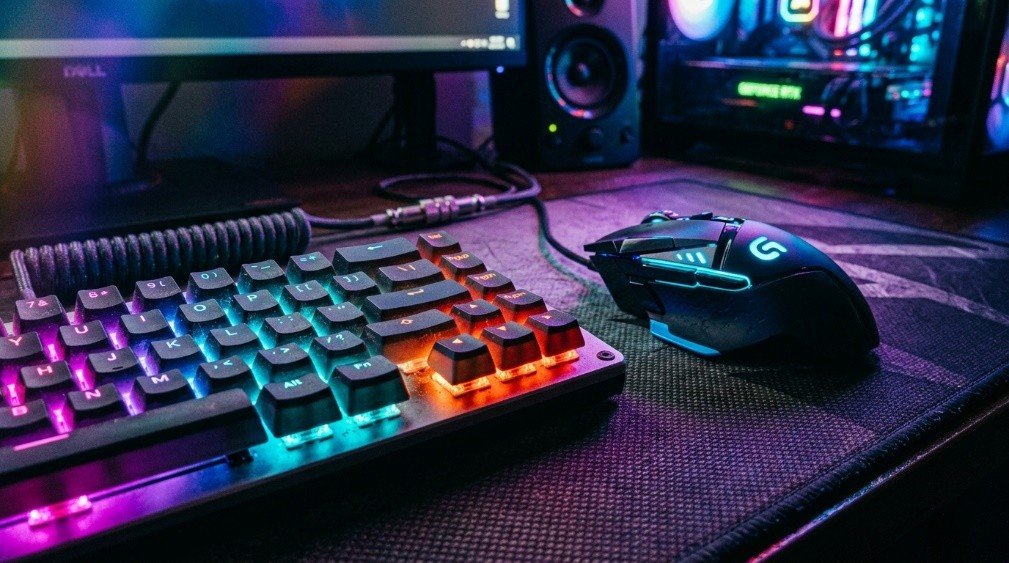
RGB lighting Gaming systems serves practical purposes beyond appearance. Modern software from Logitech, Razer, and Corsair lets you synchronize colors across an RGB keyboard and mouse, build reactive effects, and use lighting states as visual cues for macro layers or in-game events.
A unified lighting ecosystem also reinforces muscle memory if your “sniper” profile glows blue and your “movement” profile glows green, the desk itself tells you which mode you’re in.
The tradeoff is battery life on wireless gear. Sustained high-brightness lighting measurably shortens runtime on most wireless keyboards and mice.
Five Notable Combos and What They Demonstrate
The five configurations below aren’t purchase recommendations — they’re examples chosen because each one illustrates a distinct design philosophy. Understanding what each prioritizes helps you evaluate any combo you encounter.
Combo 1: ZIYOU LANG RK-T8PR0, The Entry-Level Mechanical Category
The ZIYOU LANG RK-T8PR0 Pro pairs a mechanical-switch keyboard with a basic mouse in a single bundle. The keyboard delivers the tactile response and rated durability that budget membrane boards can’t match. The mouse covers fundamentals a conventional shape and adjustable sensitivity, without competitive-grade sensor precision.
The players who want mechanical feel on a minimal budget this is the best option for them. Anyone evaluating a cheap gaming keyboard and mouse bundle should use this tier as the baseline for what “budget mechanical” actually means.
Combo 2: Redragon S101M-KS — The Wireless Value Category
This bundle pairs an RGB keyboard with a 4800 DPI mouse across a shared 2.4GHz receiver, with Bluetooth as a third option. The shared receiver is the interesting design choice one USB port serves both devices, which meaningfully reduces cable clutter.
The category tradeoff is key feel and sensor ceiling. Membrane construction and a mid-tier sensor suit casual and mixed work/play setups well, but not precision aiming. For anyone researching a good gaming keyboard and mouse combo on a budget, this tier illustrates exactly what wireless convenience costs and what it doesn’t yet include.
Combo 3: Logitech G715 + G705 — The Premium Wireless Ecosystem
The G715 is a wireless mechanical keyboard with tactile switches, a palm rest, and customizable LIGHTSYNC lighting including a light ring around the base. The G705 is a compact wireless mouse with a matching light strip. Both are compatible with Logitech’s G HUB software, and can use the same light speed receiver.
Light speed provides a report rate of around 1ms, which is effectively instant, meaning there is no difference between wired and wireless, for our human reactions. As they work together, you get lighting, profiles and macros working in sync between each. You do not have to install any extra software.
The compromise is weight and price positioning: the mouse is heavier than esports-focused alternatives, and the whole setup carries a premium.
Combo 4: Razer Huntsman V3 Pro Mini + DeathAdder V4 Pro — The Competitive E-sports Category
The Huntsman V3 Pro Mini uses a 60% form factor to free desk space for wide mouse swipes. Its analog optical switches support adjustable actuation and Rapid Trigger. The ability to reset a key the instant you lift, rather than waiting for a fixed reset point. That’s a measurable input advantage in movement-heavy titles.
The DeathAdder V4 Pro is a lightweight ergonomic wireless mouse, and Razer positions the pairing around high polling rates for near-zero input latency. This is the category where every design decision optimizes for competitive FPS play at the cost of general-purpose comfort.
Combo 5: SteelSeries Apex Pro TKL + Aerox 5 Wireless — The Adaptive Category
The Apex Pro TKL Gen 3 uses adjustable magnetic switches, letting you set actuation depth per key shallow for movement keys, deeper for typing to prevent mis-clicks. The Aerox 5 Wireless brings a lightweight shell with a nine-button layout including a multi-button side panel.
This is the category for players who move between shooters, MOBAs, and MMOs in the same week. The mechanical keyboard and mouse pairing here is configurable rather than specialized, which is a different value proposition from the E-sports tier above.
Asked Questions
Is a wireless gaming keyboard and mouse good for competitive play?
Yes, if you go for high quality options. Most modern wireless tech using 2.4GHz (Logitech LIGHTSPEED / Razer HyperSpeed) offer around 1ms latency which is indistinguishable from using a wired product. However, budget wireless will struggle to perform in high interference scenarios.
What DPI should I use for FPS gaming?
Most competitive FPS players will use between 400-1600 DPI. You can change your in game sensitivity to get the perfect turn speed. Lower DPI values mean that you can be very precise and consistent. Higher DPI values means less movement but also more sensitivity.
Do I need a mechanical keyboard for gaming?
No you do not. However, mechanical keyboards do have much faster response times due to the switch type. They also have a longer life span (Around 50-100 million key presses vs 5-10 million for membrane). They give much clearer feedback.
What is polling rate and does it matter?
This is how often the device communicates with the PC. For example, a 1000Hz mouse will communicate every 1ms. An 8000Hz mouse will communicate every 0.125ms. You can gain benefits past 1000Hz however this will vary depending on how high your monitors refresh rate is.
Are cheap gaming keyboard and mouse combos worth it?
Yes, if you are playing casually or setting up your first kit. Budget keyboards and mice now offer mechanical switches, RGB lighting and functional wireless. Although they will lack in sensor capabilities, software and materials they are still worth purchasing.
Should my keyboard and mouse be the same brand?
No, not necessarily. However, it is common to have the same brand. This usually means that you only have one piece of software to manage, one lighting system and sometimes one wireless dongle. It is perfectly fine to use different brands.
Does RGB lighting affect battery life on wireless gear?
Yes, noticeably. Sustained high-brightness lighting measurably shortens runtime on most wireless keyboards and mice.
Final Thoughts
The best gaming keyboard and mouse combo is the one that matches your grip, your genre, and your environment. not the one with the highest spec number. Budget setups now deliver genuine mechanical feel; premium setups buy you software integration and sensor precision; E-sports configurations trade versatility for specialization.