


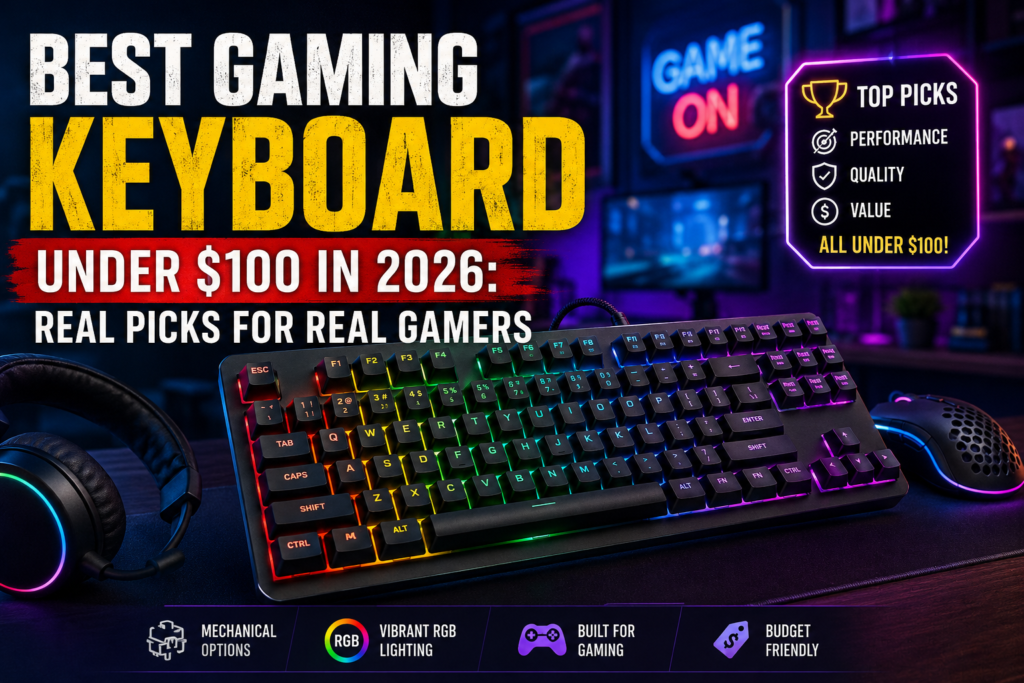
There is a version of this conversation that happens at some point in every gamer’s life. You are mid-match and your spacebar does not register. Or you go to press two keys at once and one of them just disappears. Or you look down at your keyboard after a year of use and realize the letters on the keycaps are fading because they were printed on cheap plastic with cheap ink. And you think: maybe it is time to actually buy a good keyboard.
Then you open a browser and spend forty-five minutes buried in spec sheets before closing the tab and buying nothing.
This guide is going to save you that forty-five minutes.
The gaming keyboard market under $100 in 2026 is better than it has ever been. That is not marketing language. It is a real shift that has been building for a few years, and in 2026 you can now buy keyboards with features that used to cost two or three times as much. Hot-swappable mechanical switches. Gasket mount designs. Wireless that actually works for gaming. Pre-lubed switches that sound smooth right out of the box. These things are available for under $70 if you know where to look.
This guide is going to tell you exactly where to look, what every important spec actually means in practice, and which keyboards are worth your money based on how you play.
How Budget Gaming Keyboards Got This Good
A few years ago, spending under $100 on a gaming keyboard meant accepting real compromises. You either got a membrane keyboard with mushy keys and limited precision, or you got a cheap mechanical board with loud, scratchy switches and a plastic case that creaked every time you shifted your hands. Either way, you were working against your keyboard rather than with it.
What changed is the way the market restructured itself. Brands like Keychron disrupted the space by selling enthusiast-grade keyboards at prices that skipped the traditional retail premium. Chinese peripheral brands that used to sell generic products started investing in their own switch designs and manufacturing. And the keyboard hobby community, which obsesses over every detail of how a keypress feels and sounds, brought enormous pressure on manufacturers to do better.
The result is that in 2026, hot-swappable switches are now standard on most keyboards in the $60 to $100 range. Gasket mount designs, which used to appear only on custom boards costing $150 and up, now show up at $70. Factory-lubed switches, meaning the manufacturer already applied lubrication to make the switches smoother before it ships to you, are appearing on boards that cost less than a decent dinner for two.
You no longer have to choose between budget and quality. You have to choose between good options.
The Specs That Actually Matter
Before we get into specific keyboards, there are a handful of technical terms that every buyer should understand. These are the features that will genuinely affect your gaming experience, not marketing extras that look impressive on a box.
Mechanical vs Membrane Switches
If you are shopping for a gaming keyboard right now and considering a membrane board, the honest advice is to stop and look at mechanical options instead. Membrane keyboards use a rubber dome under each key that collapses when pressed, completing a circuit. They are quieter and cheaper to manufacture, which is why they dominated the market for decades. But the rubber dome degrades over time, the keypresses can feel inconsistent from key to key, and most membrane keyboards cannot register more than six simultaneous keypresses, which becomes a real limitation in complex games.
Mechanical keyboards use an individual switch under each key that contains a spring and a metal contact point. Each switch is rated for 50 million keypresses or more, meaning the keyboard outlasts anything membrane-based by years. Every key is consistent because every switch is identical. And the feel of each press is determined by the type of switch, which means you can choose a typing experience that matches exactly how you play.
<cite index=”64-1″>In the mechanical versus membrane debate, mechanical keyboards generally win on gaming performance, offering individual switches, full N-key rollover, lower input lag, and durability rated up to 100 million keystrokes.</cite>
The advantage of membrane is primarily cost and noise. If you are in a shared space and need to keep sound to an absolute minimum, a quality membrane board is a reasonable compromise. For anyone gaming seriously, mechanical is the right choice, and in 2026 you can get mechanical for the same price as a mid-range membrane board.
Switch Types: Linear, Tactile, and Clicky
Once you decide on mechanical, you need to choose which kind of switch you want underneath your keys. There are three main types, and each one feels and sounds different.
Linear switches move straight down with no bump or feedback on the way. The keystroke is smooth from top to bottom. They are the most popular choice for FPS gaming because the fast, predictable actuation makes rapid inputs in games like Valorant, CS2, and Apex Legends feel natural. Most linear switches require around 45 grams of force to actuate, which means you can press keys quickly without tiring your fingers during long sessions. If gaming is your primary use case, linear switches are usually the right answer.
Tactile switches have a small bump partway through the keystroke that provides physical feedback letting you know the key registered. You do not have to press all the way down for the input to count, and the bump tells you exactly when it went through. Tactile switches are popular with people who split their time between typing and gaming because the feedback makes typing feel more deliberate. They are slightly louder than linears but not nearly as loud as the third category.
Clicky switches add an audible click sound to the tactile bump. They are deeply satisfying for typing and some people love them for gaming, but they are genuinely loud in a way that can disturb people around you. Most competitive gamers avoid clicky switches not because they perform worse but because the sound is distracting in high-stakes situations where you need to hear footsteps and audio cues.
<cite index=”35-1″>For competitive FPS gaming under $100, linear switches are the clear winner. The AULA WIN68 HE Hall Effect and Redragon K673 PRO both use linear switches and are top picks for gaming. If you primarily type, look at the Womier SK80 with its pre-lubed linear switches that are quiet enough for office use.</cite>
Hall Effect Switches
Hall Effect switches are a newer technology that is starting to appear in keyboards under $100, and they are worth understanding even if they are not your first buy. Instead of using a physical metal contact point to register a keypress, Hall Effect switches use magnets. A Hall Effect sensor detects changes in the magnetic field and registers the keypress. Because there is no contact, there is essentially no wear. The switches do not develop chattering issues over time, they last far longer than traditional mechanical switches, and they can be programmed to adjust their actuation point in software.
For competitive gaming, this last feature is significant. You can set the switch to register at 0.1mm of travel instead of the standard 1.5 to 2mm, making inputs as fast as physically possible. You can also enable rapid trigger mode, which resets the actuation point at the top of each keystroke rather than making you fully release the key before pressing again. In fast-paced shooters, this translates to measurably faster counter-strafing.
<cite index=”33-1″>For competitive FPS players, the Aula WIN60 HE provides Hall Effect magnetic switches previously found only on keyboards costing more than $200.</cite>
Hot-Swappable Switches
Hot-swap is one of the most important features to look for in a budget mechanical keyboard, and it is now widely available in the under-$100 category. A hot-swappable keyboard has sockets that hold each switch in place mechanically rather than soldering them to the circuit board. This means you can pull out any switch with a simple tool and replace it with a different one in seconds, without any technical skill.
Why does this matter? Because it means your keyboard is future-proof. If you buy a board with linear switches today and decide six months from now that you want tactile switches, you just buy the switches and swap them. If one switch develops a problem and starts double-registering keypresses, you pull it out and put in a new one instead of replacing the whole keyboard. Hot-swap turns a $70 keyboard into a platform you can maintain and modify for years.
Gasket Mount
The way a keyboard is mounted internally affects how it sounds and feels when you type or game. Most budget keyboards use a top-mount or bottom-mount design where the circuit board and plate are screwed directly to the case. This creates a rigid, hard sound that many people describe as plasticky or hollow.
A gasket mount design uses small foam or rubber gaskets to suspend the plate and circuit board inside the case rather than screwing them down directly. The gaskets absorb some of the force of each keypress and give the whole typing surface a slight, satisfying flex. The sound becomes more muted and deeper. The typing experience feels more premium in a way that is immediately noticeable. Gasket mounts were a feature exclusive to expensive custom keyboards until recently, and their appearance in the under-$100 category is one of the biggest shifts the budget market has seen.
N-Key Rollover and Anti-Ghosting
N-key rollover means the keyboard can register every single key you press simultaneously, no matter how many are being held down at once. Anti-ghosting means the keyboard does not register phantom keypresses that you did not input when multiple keys are pressed together.
<cite index=”68-1″>N-key rollover means the keyboard registers every key pressed at the same time, which a mechanical keyboard achieves because each switch wires to the matrix independently. Many membrane keyboards use a shared matrix that supports only 2-key or 6-key rollover, so pressing several keys at once can cause ghosting where some presses fail to register.</cite>
For most gaming, six-key rollover is enough. You are rarely pressing more than five or six keys at the same time in any standard game. But in fighting games, MMOs with complex keybinds, or any situation where you are pressing multiple ability keys in sequence, full N-key rollover eliminates any chance of a missed input. All of the mechanical keyboards in this guide support full N-key rollover.
Polling Rate
Polling rate is how often the keyboard reports its state to your computer, measured in Hz. A keyboard at 1000Hz reports 1,000 times per second, meaning there is at most 1 millisecond between when you press a key and when your computer knows about it. Most gaming keyboards at any price point run at 1000Hz, which is the standard that has been sufficient for competitive gaming for years.
Some newer boards are advertising 8000Hz polling, which reports 8,000 times per second. For the vast majority of players, including serious competitive gamers, the difference between 1000Hz and 8000Hz is not meaningful. It matters at the extreme end of professional esports where milliseconds are genuinely contested. For everyone else, 1000Hz is completely fine, and you should not pay extra for 8000Hz unless you have a very specific reason to.
Form Factor
The size and layout of the keyboard affects both your desk space and your gaming setup. Full-size keyboards include a numpad and are ideal for people who use number entry regularly or prefer a traditional layout. They take up more desk space, which limits how far you can position your mouse from the keyboard during gaming.
Tenkeyless keyboards remove the numpad, keeping everything else intact. This frees up meaningful space for your mouse and is probably the most popular gaming layout for people coming from a full-size board without wanting to give up too much.
75% keyboards remove the numpad and compress the navigation cluster into a tight layout while keeping arrow keys and function keys accessible. They are significantly more compact than tenkeyless boards while retaining most of the functionality. This is the layout that many experienced gamers and enthusiasts consider the sweet spot in 2026.
60% keyboards remove everything except the main alphanumeric keys and require you to use function layers to access arrow keys and other controls. They create the smallest possible footprint and the most mouse room, but they require a learning curve.
The Best Gaming Keyboards Under $100 in 2026
AULA F75 Pro
Price: Around $69
<cite index=”53-1″>The AULA F75 Pro features tri-mode connectivity — Bluetooth 5.0, 2.4GHz wireless, and USB-C wired — and can connect to up to five devices simultaneously. It also ships with pre-lubricated LEOBOG Reaper switches and a 4,000mAh rechargeable battery. The layout itself, with 81 keys including the function row, arrow cluster, and a dedicated volume knob, is what makes 75% keyboards so popular right now.</cite>
The AULA F75 Pro is the keyboard that everyone in the budget mechanical community has been talking about in 2026, and the attention is justified. At around $69, it delivers a combination of features that would have easily cost $150 or more just two years ago. It has a gasket mount. The switches come pre-lubed from the factory. It is fully hot-swappable. It has five layers of sound dampening inside the case. And it supports wireless gaming via a 2.4GHz dongle with latency under 10 milliseconds.
The typing and gaming experience out of the box is genuinely impressive. The gasket mount gives the keyboard a satisfying flex and a sound profile that is deeper and more muted than you expect from a board in this price range. The LEOBOG Reaper linear switches are smooth because of the factory lubing and feel comparable to switches you might pay extra for separately if you were building a custom board.
<cite index=”53-1″>For what it is, a sub-$70 wireless mechanical keyboard with a gasket mount, five-layer sound dampening, hot-swap support, and a legitimately great typing experience out of the box, it is hard to argue with. The combination of features at this price point is difficult to match among competing wireless boards.</cite>
The honest caveats are real. The software that accompanies the AULA F75 Pro is not polished. It gets the job done for basic remapping and lighting adjustments, but it does not offer the deep programmability of QMK or VIA. Quality control has some unit-to-unit variation, and a small percentage of buyers have reported individual switches that do not feel consistent with the rest of the board. Given that the switches are hot-swappable, a bad switch is a five-second fix, but it is worth knowing before you buy.
If you want the most features for the least money and wireless capability matters to you, the AULA F75 Pro is the top recommendation in this guide.
Keychron K2 Pro
Price: Around $79
Keychron is the brand that redefined what a budget mechanical keyboard could be, and the K2 Pro is one of their most complete offerings at this price point. It is a 75% keyboard built on an aluminum frame with hot-swappable switches, Bluetooth 5.1 wireless that connects to up to three devices, and full QMK/VIA programmability.
<cite index=”41-1″>One of the standout features of the K2 Pro is its hot-swappable switches. The hot-swappable sockets on the K2 Pro allow you to change switches without soldering. Try different mechanical switches to find your ideal typing or gaming experience. The keyboard supports Bluetooth 5.1 for wireless connections to up to three devices, making it convenient for multitasking. It also has a reliable USB-C wired connection option. With the QMK/VIA software, you can program and customize your key mappings and macros to enhance your productivity or gaming performance.</cite>
What separates the Keychron K2 Pro from nearly everything else at this price point is the software situation. QMK and VIA are open-source firmware platforms that give you extremely deep control over every key on the board. You can remap any key to any function. You can build multiple layers so a single key does different things when you hold a layer key. You can program macros for any sequence of inputs. And you can do all of this without installing any proprietary gaming software that runs in the background of your computer eating resources.
For someone who uses their keyboard for both gaming and productive work, this programmability is genuinely valuable. You can set up a gaming layer and a work layer and switch between them instantly.
The K2 Pro includes OSA profile double-shot PBT keycaps, which means the legends on each key are not printed but molded into two layers of plastic. They will not fade no matter how many hours you put on them. The aluminum frame is solid in a way that cheap plastic cases simply cannot replicate. It sits on the desk with weight and presence rather than sliding around during intense sessions.
The one honest limitation compared to the AULA F75 Pro is that the K2 Pro uses a traditional mounting system rather than a gasket mount. The typing feel is still excellent, but it lacks the distinctive flex and muted sound profile of a gasket board. If feel and sound matter to you more than programmability, the AULA wins. If you want deep customization and long-term flexibility, Keychron is the answer.
Keychron C3 Pro
Price: Around $45 to $50
The Keychron C3 Pro is what you buy when you want everything that makes Keychron worth recommending at the lowest possible price. It is a tenkeyless wired keyboard with hot-swappable switches, QMK/VIA programmability, and genuine mechanical switches in a compact layout that works perfectly for gaming.
<cite index=”75-1″>The Keychron C3 Pro is the budget board I would buy first in 2026. It feels like a keyboard designed by people who actually understand why mechanical keyboards became popular in the first place. You get a tenkeyless layout, real mechanical switches, QMK/VIA programmability, and a more damped typing feel than most cheap gaming boards. That combination used to cost well over $100.</cite>
The biggest reason the C3 Pro belongs in this conversation despite its lower price is that QMK support makes it dramatically more capable than its price suggests. You are not paying $50 for a throwaway keyboard. You are paying $50 for a platform that you can customize and use for years. If a switch goes bad, you swap it. If your keybinds change, you reprogram in VIA without restarting anything. If you want to experiment with a different switch feel, you pull out the old switches and put in new ones.
The C3 Pro is wired only, which is a limitation for some setups but not a problem for anyone gaming at a desk. Wired connections are also technically more reliable for competitive gaming, since there is no wireless signal to manage and no battery to maintain.
For someone building their first real gaming setup on a tight budget, the C3 Pro at around $45 is one of the most sensible purchases in the entire keyboard market. You will not outgrow it quickly, and you will not feel like you compromised.
Redragon K552
Price: Around $35
The Redragon K552 is not the most sophisticated keyboard on this list. It does not have hot-swap, it does not have wireless, it does not have a gasket mount. What it has is a track record, a metal frame, real mechanical switches, and a price that sits at around $35.
<cite index=”56-1″>The Redragon K552 stands as the undisputed champion of budget gaming keyboards, and for good reason. The metal frame feels solid and shows no signs of flex even during intense gaming sessions. The linear red switches provide a smooth typing experience with 45g actuation force, perfect for rapid key presses in FPS games. With nearly 40,000 reviews and a 4.5-star rating, this keyboard has proven itself to thousands of gamers.</cite>
The thing about the K552 is that it does the fundamentals correctly. The Outemu Red switches are genuine linear switches that feel smooth and respond quickly. The aircraft-grade aluminum top plate is rigid and gives the keyboard a physical weight and stability that much more expensive plastic-bodied keyboards cannot match. It does not flex, does not slide, does not creak. You pick it up and it feels solid.
For a first-time mechanical keyboard buyer who is not sure whether they will love the hobby or who needs a keyboard for a secondary gaming setup, the K552 is the correct recommendation. It delivers the essential mechanical gaming experience at a price where trying it is genuinely low risk.
The honest assessment is that if you have $50 or more available, spend it on the Keychron C3 Pro instead. The hot-swap capability and QMK support make it a fundamentally better long-term buy. But if your budget is genuinely capped closer to $35, the K552 is not a compromise. It is a keyboard that will serve you well.
Redragon K673 PRO
Price: Around $70 to $80
The Redragon K673 PRO deserves a spot on this list for people who want the gasket mount experience and wireless gaming capability from a brand with deep gaming credibility, at a price that competes directly with the AULA F75 Pro.
<cite index=”58-1″>The K673 PRO has a unique gasket mounting system that gives each keystroke a soft, cushioned feel. When typing, there is significantly less noise compared to standard mechanical keyboards, thanks to double sound-dampening features. Connection options are truly impressive for a keyboard in this price range. Testing all three modes — USB-C wired, Bluetooth, and 2.4GHz wireless — the 2.4GHz option provided the most responsive gaming experience. Battery life exceeded expectations, easily lasting several days of heavy use. The control knob is a standout feature that makes adjusting volume and RGB lighting quick and simple.</cite>
The K673 PRO uses a 75% layout with a volume knob and sits in a well-built case that feels intentional rather than budget. The gasket mount is real and functional, delivering the same flex and sound dampening that makes the AULA F75 Pro so satisfying to use. The 2.4GHz wireless performance is reliable enough for competitive play, not just casual sessions.
Where the K673 PRO differs from the AULA F75 Pro is in build reputation. Redragon has been in the gaming peripheral market for longer and has a more established support structure and consistency record. If brand reliability matters to you alongside the feature set, the K673 PRO is worth the extra few dollars over the AULA.
Which Keyboard Is Right for You
The right keyboard depends on how you play and what you value.
If you play competitive FPS games like Valorant or CS2 and care about input precision above everything else, buy the AULA F75 Pro or the Redragon K673 PRO for the gasket mount and wireless freedom, or the Keychron K2 Pro if you want deep programmability. Choose linear switches in any of these cases.
If you split your time between gaming and work, typing long documents, writing, or coding alongside your gaming sessions, the Keychron K2 Pro with tactile switches hits the best balance. The QMK programmability means you can build a work layer and a gaming layer in the same keyboard without compromise.
If you play slower-paced games like MMOs, strategy titles, or story-driven RPGs and spend as much time in menus as in active gameplay, the form factor and switch type matter less than comfort. Any keyboard on this list will serve you well. Buy the one that fits your desk layout and budget.
If you are buying your very first mechanical keyboard and want to try the experience without spending too much, start with the Keychron C3 Pro at $45 to $50. It is the most complete entry-level mechanical keyboard available for that price and gives you room to grow through hot-swap and programmability rather than replacing the whole board when your preferences change.
If budget is the genuine deciding factor, the Redragon K552 at $35 is not a disappointment. It is a proven keyboard that will teach you what you like about mechanical switches and hold up under years of use.
Things Worth Knowing Before You Buy
The keycap material on your keyboard affects how it ages over time. ABS plastic, which is used on many budget boards, develops a shine on frequently pressed keys after extended use. You can feel and see where your fingers have worn the surface down. PBT plastic is harder, more resistant to oils and shine, and holds up much better over years of heavy gaming. Every keyboard on this list uses PBT keycaps.
Doubleshot versus shine-through versus printed keycaps also matters. Printed legends fade. Doubleshot keycaps are molded from two colors of plastic, so the legend is literally part of the cap’s structure and cannot fade regardless of use. If you want a keyboard that looks new after three years, look for doubleshot PBT. The K2 Pro and G413 SE both include them.
Sound dampening foam is something that some keyboards include inside the case to reduce the hollow acoustic resonance that makes cheap boards sound cheap. The AULA F75 Pro includes five layers of foam dampening. If you care how your keyboard sounds alongside how it feels, that level of internal dampening makes an audible difference.
Finally, wireless versus wired is a genuine choice in 2026. Modern 2.4GHz wireless keyboards have latency that is effectively indistinguishable from wired for all but the most extreme competitive situations. If cable management is a frustration or your setup benefits from a clean desk, wireless is no longer a competitive sacrifice. Both the AULA F75 Pro and the K673 PRO deliver genuinely good wireless gaming performance at under $100.
Where to Go From Here
If you want to go deeper on switch types, sound profiles, and the technical side of mechanical keyboard customization, the community at r/MechanicalKeyboards is one of the most detailed and helpful communities in the PC gaming world. They test, review, and discuss every aspect of keyboard hardware at a level of detail that this guide only scratches.




One Response