


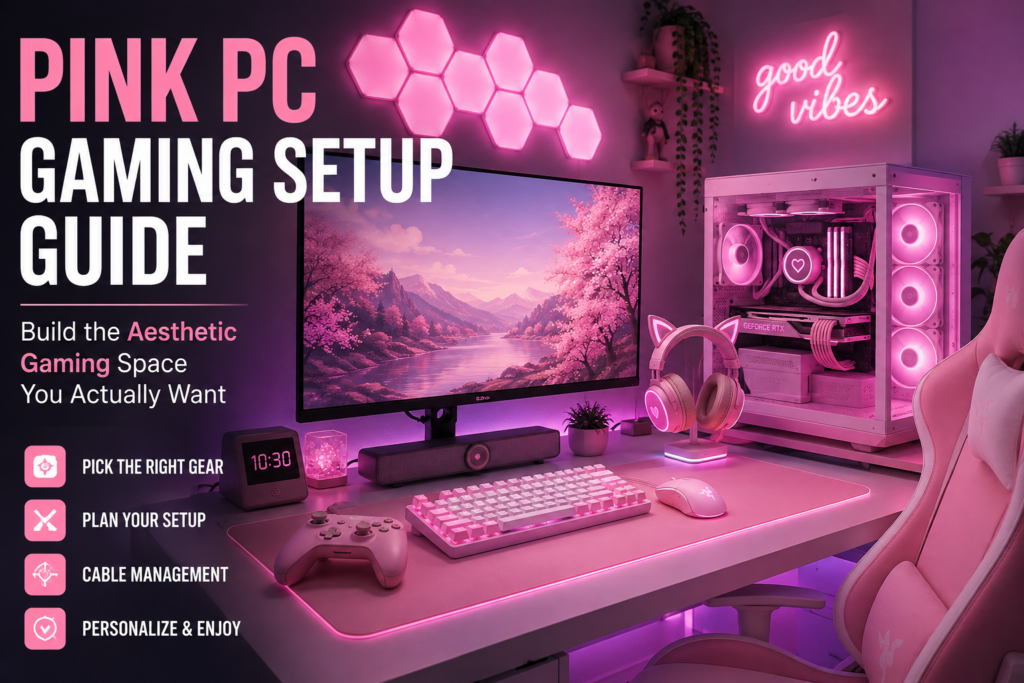
Let’s be honest about something. For a long time, gaming setups followed one visual rulebook. Black desk, black case, dark red RGB lighting, aggressive angular everything. That was the default, and if you wanted something different, you were mostly on your own.
That has completely changed. Pink gaming setups have moved from a niche corner of the internet to one of the most sought-after aesthetics in the entire gaming community. Brands like Razer, ASUS ROG, and Logitech have entire product lines dedicated to pink and blush colorways. Tempered glass cases in rose and pastel shades sit on the shelves at major retailers. The community around pink setups has exploded on platforms like TikTok and YouTube, where creators with thousands of followers document every step of their builds.
But here is what most of the content around this topic gets wrong. They show you beautiful finished rooms without telling you how to actually get there. This guide does the opposite. It walks you through every piece of a pink PC gaming setup, from the computer itself to the lighting behind your monitor, in an order that actually makes sense. Whether you are starting from scratch or upgrading an existing setup one piece at a time, this is the guide that ties it all together.
Start Here: Pick a Direction for Your Pink Setup
Before spending a single dollar, you need to make one important decision. What kind of pink are you going for? This sounds like an interior design question, but it actually shapes every purchase you make, so it matters more than people expect.
Pink is not one shade. It is a family of colors that ranges dramatically depending on the combination you choose. The three most common directions for gaming setups are:
Soft and pastel is the most popular approach in 2026. Think blush tones, milky whites, dusty roses, and muted lavenders mixed in. This style leans into what a lot of people describe as the strawberry milk or coquette aesthetic. It photographs beautifully, looks clean during streams, and pairs naturally with white furniture.
Hot pink and bold is the more maximalist approach. Brighter, more saturated tones that pop against darker backgrounds. This works especially well with a black desk or darker room, where the contrast makes everything feel electric. Neon pink LED strips, vivid keycaps, and glossy surfaces belong in this category.
Pink and white with minimal color is exactly what it sounds like. You use white as the dominant neutral and let soft pink accents do the work. This is one of the easiest looks to achieve because you can start with white gear and add pink pieces over time without anything clashing.
Knowing which of these directions you prefer tells you which desk to buy, which case to look at, what color LED strips to run, and what keycaps to swap onto your keyboard. It sounds simple but skipping this step is why a lot of setups end up feeling scattered rather than cohesive.
The Pink PC Build: Where Aesthetics Meet Performance
The PC is the centerpiece of your setup. Everything on the desk orbits around it visually. The good news is that building a pink gaming PC in 2026 is genuinely viable at nearly every budget level. You no longer have to sacrifice performance for looks.
Choosing Your PC Case
The case is the first and most important aesthetic choice for the computer itself. It sets the color tone, determines how visible your internal components are, and establishes whether your build leans toward clean minimalism or full tempered glass showroom.
For a pink setup, you have a few realistic paths. Some cases are manufactured in pink or white from the factory. The NZXT H510 in white is one of the most recommended cases for aesthetic builds because its clean, minimalist design acts like a blank canvas. Combined with pink LED fans and pink cable sleeving, it can be configured to look exactly like a pink build without requiring any modifications.
Thermaltake’s pink-tinted cases, including options in their View series with ARGB fans built in, have become very popular for builders who want the color to be obvious from the factory. They include tempered glass side panels so the lighting inside the case is fully visible from the desk.
If you want to run a standard case and customize it, pink vinyl wraps work surprisingly well and cost very little. LED strips installed inside the case with a warm pink or rose color cycle handle the rest of the visual work.
One thing to check before buying any case is airflow. The aesthetic temptation is to prioritize how the case looks from the outside. But a case with poor airflow will cause your components to run hot, which shortens their lifespan and hurts performance during long gaming sessions. Look for a case that lists at least two to three intake fans in the front or bottom, with clearance for exhaust at the top and rear. Tempered glass side panels are fine as long as the front and bottom are not fully blocked.
Components That Actually Matter
Here is the honest truth about building a pink gaming PC. The color of your case does not cost you very much extra. The real budget goes into the components that power the machine. Getting this part right means you have a setup that looks beautiful and plays the games you care about without frustrating limitations.
For most gamers in 2026, an AMD Ryzen 5 or Intel Core i5 level processor handles the vast majority of games without any issues. If you plan to stream your gameplay at the same time as playing, stepping up to a Ryzen 7 or Core i7 makes the process noticeably smoother.
The graphics card determines what resolutions and frame rates you can achieve. An RTX 4060 is the current entry point for solid 1080p and light 1440p gaming. An RTX 4070 Super handles 1440p very comfortably and gives you room to push higher settings. If your monitor target is 4K, the RTX 4080 or higher is where that performance lives. Budget-conscious builders in the pink space often pair a capable GPU with a white or pink case and let the internal lighting do the aesthetic heavy lifting.
RAM should be at least 32GB of DDR5 for builds assembled in 2026. DDR5 provides better speeds and overall system responsiveness compared to the previous DDR4 standard. Corsair’s Vengeance series and G.Skill’s Trident Z5 both come in white or silver colorways that fit naturally into pink builds without standing out visually.
For storage, an M.2 NVMe SSD of at least 1TB is the minimum worth recommending. Games in 2026 regularly exceed 100GB per title. The NVMe drive loads them dramatically faster than older storage options and the form factor keeps the inside of your case clean since there are no large cables or drive bays to work around.
Prebuilt vs. Custom Build for Pink Setups
This debate comes up constantly in the pink gaming community and the answer depends almost entirely on your situation.
Building your own system is cheaper on paper. You pay for parts, not labor or assembly markup. You have complete control over which components go inside and which shades of pink they are. You can swap them out individually in the future without replacing the entire machine. The downside is that sourcing matching pink components across multiple vendors takes significant research, and first-time builders should expect to spend four to six hours putting everything together and troubleshooting any issues that come up.
Prebuilt pink gaming PCs have become genuinely competitive in recent years. Companies like iBUYPOWER, CLX, and Skytech sell systems with RTX 40-series graphics cards, DDR5 RAM, and NVMe storage inside cases that are already themed around the pink and white aesthetic. You pay roughly ten to fifteen percent more per dollar of performance compared to building yourself, but you get a warranty, pre-installed Windows, and the assurance that the components were tested together before the box shipped.
For anyone whose primary interest is the setup itself rather than the building process, a prebuilt in the fifteen hundred to two thousand two hundred dollar range hits the sweet spot of performance and visual appeal without requiring weeks of research.
Pink Peripherals: The Gear That Defines the Desk
The peripherals are what most people see first in a setup photo. The keyboard, mouse, headset, and monitor are the objects closest to the camera and the most visually prominent pieces on the surface. Getting these right matters as much as the PC case, and in many ways it is easier because the market for pink gaming peripherals is genuinely strong in 2026.
Keyboard
A mechanical keyboard is the centerpiece of any desk setup, and the pink keyboard market has exploded with options at every price point.
Razer’s Quartz lineup remains one of the most popular choices because it carries genuine gaming performance with a pink colorway that does not look like an afterthought. The tactile and clicky switch options are both available, and the per-key RGB lets you run pink, rose, or warm white lighting that matches whatever vibe you have built around the rest of the desk.
If you want something more customizable, the mechanical keyboard hobby has produced dozens of options for building or buying keyboards with pink aluminum cases, custom artisan keycaps, and coiled cables in pink or cream. Custom PBT keycap sets in blush, sakura, and rose gold colorways are widely available and transform any keyboard into a piece the setup is built around.
One practical tip worth knowing is that the coiled cable on a keyboard is an easy and inexpensive upgrade that dramatically changes how the keyboard looks on a desk. A coiled cable in cream, white, or pink connects the keyboard to the computer and coils neatly in front of the wrist rest. It is one of those small details that makes a setup feel intentional rather than assembled from whatever happened to be available.
Mouse
Razer’s Orochi V2 and DeathAdder series in Quartz pink are among the most recommended options because they carry the brand’s reliable sensor technology in a familiar pink shell. The Orochi V2 in particular is a wireless mouse designed to be lightweight and compact, making it comfortable for extended sessions without fatigue.
Logitech’s Aurora collection offers mice and other peripherals in a complementary pastel palette. If matching your mouse, keyboard, and headset all to the same product line appeals to you aesthetically, both Razer Quartz and Logitech Aurora offer exactly that kind of coordinated purchasing.
For anyone who prioritizes performance over brand loyalty, getting a high-quality sensor in a white or light gray mouse and pairing it with a pink large desk mat works just as well visually. The desk mat covers the entire surface, so the color on the mouse matters less than the overall table aesthetic.
Headset
ASUS ROG released a pink limited edition lineup called PNK LTD that includes a headset, keyboard, and mouse designed to work together aesthetically. The Strix Fusion 300 PNK LTD headset features 50mm drivers, 7.1 virtual surround sound, and a design that holds up against any non-pink headset at the same price point in terms of audio quality.
Razer’s BlackShark V2 X in Quartz pink is another strong option that consistently earns high marks for its sound isolation and microphone quality. It is one of the few genuinely affordable pink headsets where you are not paying a color tax in exchange for worse audio. The sound you get from it is competitive with headsets in the same price range regardless of color.
If wireless is important for cable management and desk cleanliness, HyperX, Corsair, and SteelSeries all produce wireless headsets in lighter colorways that work within a pink and white aesthetic without requiring a headset that is specifically marketed as pink.
Monitor
This is the one category where finding a specifically pink monitor is genuinely difficult. Most monitors are sold in black regardless of price range. However, this is not the limitation it might seem like because the monitor’s color is the least visible part of it during use. You are looking at the screen, not the bezel.
The practical approach is to choose the best monitor for your performance needs first, then use LED bias lighting placed behind the monitor to cast a pink glow on the wall. This creates the aesthetic impression of a pink monitor without needing the product to actually be pink. It also looks better in a dark room than a colored bezel would.
For performance, a 27-inch monitor at 1440p resolution with a 165Hz or higher refresh rate is the current sweet spot for most PC gamers. IPS panels offer the best color accuracy and wide viewing angles. QD-OLED panels at this screen size deliver noticeably superior contrast and color depth if the budget allows.
Desk, Chair, and Furniture: The Foundation of Everything
The monitor, keyboard, and PC can be the most beautiful products in the world and the setup will still look bad if the desk and chair do not match the energy of everything else. Getting the furniture right is not optional when you are building a cohesive aesthetic.
The Desk
A white desk is the most versatile choice for a pink setup because it reflects and amplifies pink lighting from LED strips and matches naturally with almost any shade of pink you place on or around it. Light wood tones work similarly well and create a warmer, more organic version of the pink aesthetic.
Desk size matters significantly more than people account for when planning. A monitor, keyboard, mouse, headset stand, small decorations, and a large mouse mat take up more surface area than most standard desks comfortably provide. Aim for at least 55 inches of surface width. L-shaped desks offer the additional real estate needed for a second monitor or a dedicated streaming camera without crowding the primary gaming area.
Cable management is one of the most important practical decisions you make for a desk setup and it has almost nothing to do with the cables themselves. A setup where cables fall freely to the floor and pile up underneath the desk looks chaotic regardless of how beautiful the individual pieces are. Cable trays mounted under the desk, adhesive cable clips along the back edge, and a cable sleeve or channel running from the desk to the power strip keep everything organized. The investment is small and the visual payoff is significant.
The Chair
The gaming chair is the largest object in most setups and also the most ergonomically important. You will spend hours in it and lower back pain or discomfort during long sessions is the kind of problem that ruins the experience regardless of how good the games or the aesthetic are.
Pink gaming chairs are widely available from multiple brands at a range of price points. Look for adjustable lumbar support, adjustable armrests, and a recline function. A chair that sits at the right height for your desk and supports your lower back correctly is worth spending more on than one that simply matches your color scheme but causes discomfort after an hour.
The Autofull C3 has earned consistent praise in the pink gaming community because it sits at a reasonable price point while offering genuine ergonomic support. The cat ear backrest design is a detail that resonates strongly with the kawaii and soft aesthetic side of the community. Secretlab and DXRacer both produce chairs in white and pink colorways at higher price points for gamers who want the premium construction.
Lighting: The Feature That Ties Everything Together
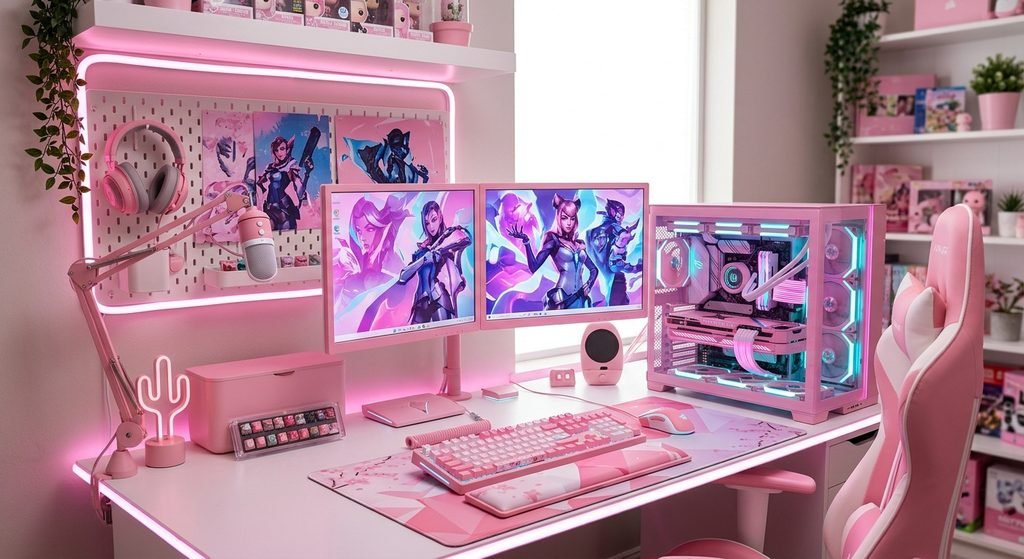
Lighting is not an accessory in a pink gaming setup. It is a structural element that determines how the space feels at night, how it reads on camera if you stream, and whether the aesthetic you chose in your head translates into the room you actually sit in.
LED Strips Behind the Monitor
Bias lighting behind the monitor is one of the highest impact, lowest cost changes you can make to any gaming setup. A strip of LED lights taped to the back of the monitor casts ambient light onto the wall and creates the halo effect you see in nearly every professional-looking setup photo. Set it to a warm pink or rose gold color and it changes the entire mood of the space.
Govee and Philips Hue both make smart LED strips that can be app-controlled, meaning you can shift the color from pink to purple to white depending on your mood or the game you are playing. Some strips also offer a screen-sync mode that changes the colors to match what is happening on the display in real time, which creates an immersive effect that is difficult to describe until you see it in person.
Desk and Under-Desk LED Strips
Running LED strips under the desk to illuminate the floor creates a floating desk effect that looks exceptional in setup photography and streaming backgrounds. This works best when the desk is positioned close enough to the floor that the light pools underneath rather than projecting too far out.
Smart bulbs in a desk lamp give you the ability to shift the ambient lighting in the room without replacing any fixtures. Set them to a warm blush tone for gaming sessions and shift to a cooler white for work or study. The combination of a smart desk lamp and LED strips behind the monitor gives you enormous control over the feel of your space at minimal cost.
LED Panels and Neon Signs
Nanoleaf panels have become a staple of aesthetic gaming setups because they are modular, app-controlled, and available in shapes that create visually interesting wall displays. A cluster of Nanoleaf panels on the wall behind your setup adds dimension and color to the room without requiring significant setup or modification to the space.
Custom neon signs are a more permanent and personalized option. A pink neon sign displaying your username, a phrase you like, or a simple shape like a star or heart adds a focal point to the wall that no off-the-shelf product can replicate. They are available from numerous custom sign shops online and typically run between sixty and one hundred and fifty dollars depending on size and complexity.
Room Decor: The Details That Make It Personal
A gaming setup stops being just a desk and becomes a space when the room around it reflects the same intention. Decor is where the setup becomes genuinely personal.
Wall art that matches your aesthetic does not require expensive prints or gallery-quality framing. Pastel-toned posters, anime artwork, botanical prints in blush or rose tones, and even simple pink tapestries create a visual backdrop that makes the desk feel intentional rather than placed randomly in an empty room.
Shelves with collectibles, figurines, or small decorative objects add depth to the space behind and around the setup. These objects read well on camera if you stream and create the kind of background that viewers notice and comment on. Plushies, small plants whether real or faux, artisan objects, and themed items from games you love all serve this function.
The desk mat is a detail that seems small but covers the majority of the desk surface and therefore has an outsized impact on how the setup reads at a glance. A large extended desk mat in a blush, pink, or floral print unifies the keyboard and mouse area under a single cohesive surface and makes the whole desk feel finished.
Small touches like a pink coaster, a matching cable organizer in white or pink, a phone stand that coordinates with the rest of the desk, or even the color of the headphone stand you choose are the kinds of details that separate a setup someone threw together from one they genuinely designed.
Building Your Pink Setup on a Budget
You do not need to buy everything at once or spend several thousand dollars to have a pink gaming setup that looks great. The most important principle for anyone working within a budget is to build from the center outward.
Start with the PC itself, since it is the component that most directly affects what you can actually do. A decent prebuilt in the eight hundred to twelve hundred dollar range with an RTX 4060 handles modern games at 1080p without significant compromises.
From there, add a monitor sized and spec’d for 1080p or 1440p gaming. A 165Hz IPS panel in this resolution range typically runs between two hundred and four hundred dollars depending on the brand.
The desk and chair can often be sourced affordably if you are willing to look at less gaming-branded options. White IKEA desks have appeared in thousands of setup photos for exactly this reason. They are inexpensive, clean-looking, and wide enough to work with.
Peripherals can be layered in over time. A pink keyboard this month, a matching mouse next month, a headset after that. Most pink setup components are available at a range of price points, so there is no single moment where you need to commit a large sum all at once.
The LED strips cost almost nothing relative to their visual impact. Budget twenty to forty dollars for bias lighting behind the monitor and a strip under the desk, and the space will immediately look like more effort went into it than actually did.
The Mistake Most Pink Setups Make
It is worth naming the thing that holds most pink setups back from looking as good as the best ones you see online. The mistake is using too many competing shades of pink without a neutral to anchor them.
Hot pink from the headset fighting with pastel pink from the keyboard, warm rose gold from the desk mat conflicting with cool bubblegum pink from the case lighting, all of it competing for visual dominance creates a setup that feels chaotic rather than curated. Every great setup photo you have admired has a dominant pink shade and one or two neutrals, usually white, soft gray, or light wood, that give the eye somewhere to rest.
Pick your primary pink. Use white as the main supporting neutral. Add a second accent color like lavender, mint, or gold sparingly if you want it, but treat it as a seasoning rather than a main ingredient. That hierarchy is what makes the difference between a setup that looks assembled on purpose and one that looks assembled from whatever pink products were available.




One Response