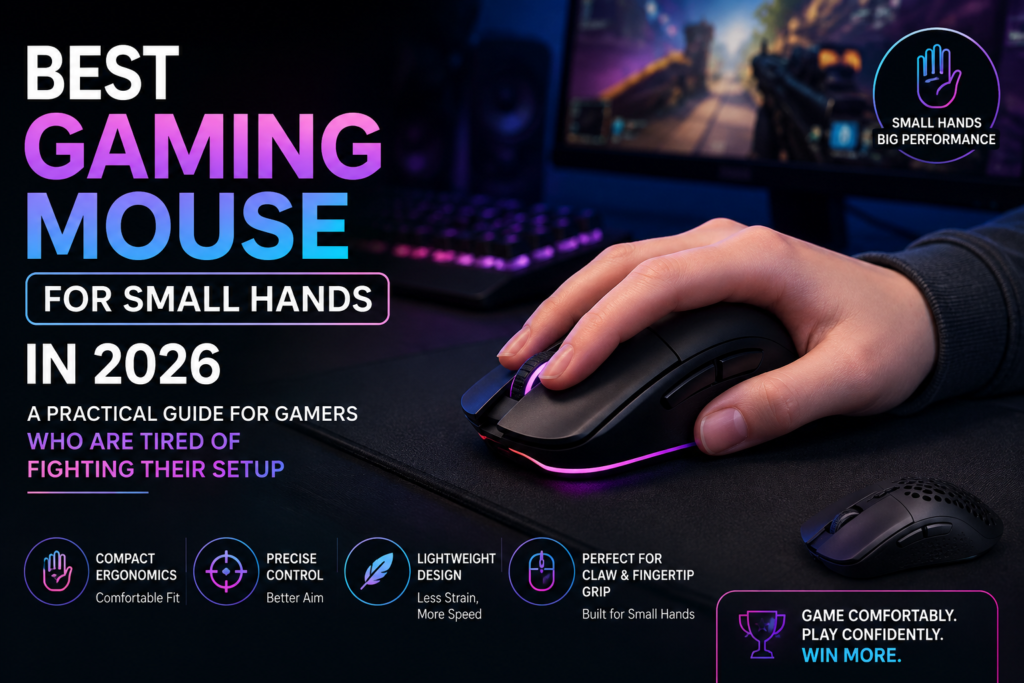
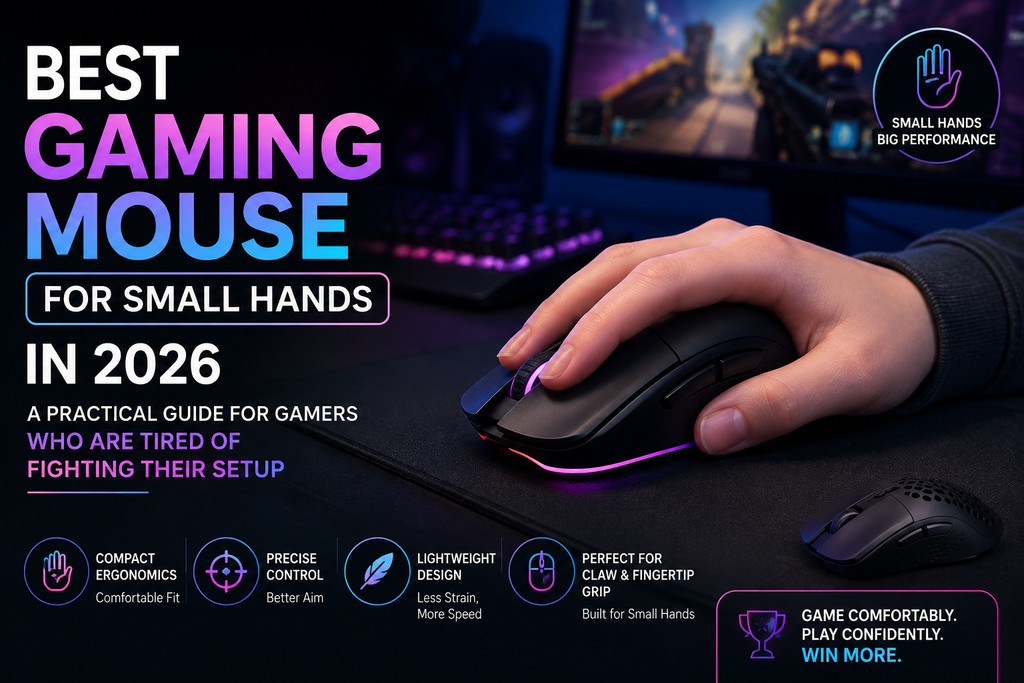
If your hand measures under 17 centimeters from your wrist crease to the tip of your middle finger, you already know the problem. You sit down to play, wrap your hand around a mouse that is supposed to be good, and within an hour your fingers are aching, your aim feels loose, and you keep repositioning your grip. It is not a skill issue. It is a size issue.
The gaming peripheral market has historically been built for average-to-large hands. Most mice sit between 125 and 135 millimeters long and 70 to 75 millimeters wide. Those numbers sound small on paper, but when your hand is compact and narrow, even a few extra millimeters in the wrong places means your fingers have to stretch to reach buttons, your palm hangs awkwardly off the back, and your wrist compensates constantly just to maintain control. That compensation is where fatigue builds and performance drops.
The good news is that the small-hands gaming mouse category has exploded in the past two years. Razer, Logitech, HyperX, Cooler Master, and Glorious have all released compact mice that do not treat small-handed gamers as an afterthought. This guide covers the best options available right now, explains how to measure your hand properly, breaks down grip styles, and tells you exactly what specs matter and which ones you can ignore.
How to Tell If You Actually Have Small Hands (Measure Before You Buy)
Before spending money, spend 30 seconds with a ruler. Grab one and lay your hand flat on a table, fingers relaxed. Measure from the crease at your wrist to the tip of your middle finger. That is your hand length. Then measure across your knuckles at the widest point, not counting your thumb. That is your hand width.
Here is how to read those numbers:
Hand length under 17 centimeters, hand width under 8.5 centimeters means you have small hands and should be looking at mice under 115 millimeters long.
Hand length between 17 and 19 centimeters puts you in medium territory, and you have more flexibility with mouse size.
Hand length over 19 centimeters means most gaming mice on the market are actually built for you, and compact picks may feel cramped.
A lot of gamers skip this step and just copy what pro players use. That is a mistake. Most professional esports players have medium to large hands, and their mouse choices reflect their anatomy, not yours. A mouse that works perfectly for a pro with 19-centimeter hands can actively hurt someone with 15-centimeter hands during long sessions.
Mouse length should ideally be between 55 and 70 percent of your hand length. If your hand is 15 centimeters, you want a mouse somewhere between 82 and 105 millimeters long. If your hand is 16.5 centimeters, a mouse around 91 to 115 millimeters will suit you best. This ratio keeps your fingers in a natural, unstrained position without having to reach or curl awkwardly.
Understanding Grip Styles Before Picking a Mouse
Your grip style determines which mouse shapes will feel natural and which will feel wrong no matter how good the specs are. There are three main grips, and small-handed gamers are not equally well served by all three.
Palm grip means your entire hand rests on the mouse, palm included. Your fingers lie flat on the buttons and your wrist barely moves. This grip is the most relaxed and comfortable for long sessions, but it demands a mouse that is long enough and tall enough to fill your hand. The catch for small-handed gamers is that most mice built for palm grip are sized for medium or large hands. If your hand is genuinely small, a palm grip with an undersized mouse leaves your fingers crammed forward, while an oversized mouse forces you to stretch. There are options, but the selection is narrower.
Claw grip means your palm touches the rear of the mouse but your fingers arch upward so only your fingertips and the very base of your palm make contact. Think of the shape your hand makes when you grab a doorknob. This grip gives you faster click response and better agility than palm grip, and it works well with a wider range of compact mice because the mouse does not need to fill your entire palm. For small-handed FPS players, claw grip is often the best balance of control and comfort.
Fingertip grip means nothing but your fingertips touch the mouse. No palm contact at all. This is the most precise and agile grip style, excellent for twitch shooters and fast flick aiming, and it pairs naturally with the smallest, flattest, lightest mice available. If your hands are very small, under 15 centimeters, fingertip grip with a compact mouse often feels the most natural because you are not trying to force your hand onto a mouse body that is even slightly too big.
Most sources agree that small hands under 17 centimeters do best with claw or fingertip grip when it comes to gaming performance, while palm grip requires more careful size matching. Keep your grip style in mind as you read through the picks below.
What Specs Actually Matter for Small-Handed Gamers
A lot of mouse marketing is noise. You do not need 44,000 DPI. You will never use more than 3,200 DPI in actual gameplay, and most competitive players run between 400 and 1,600. Here is what genuinely matters when you have small hands.
Size and dimensions are the most important factor. Length and width matter more than height. Look for a mouse under 115 millimeters in length. Width under 60 millimeters is ideal for narrow hands. If a mouse does not list both dimensions in its official specs, look up the product page before buying.
Weight matters a lot more for small-handed gamers than for average or large-handed players. Smaller hands produce less grip force than larger hands. A mouse over 80 grams requires noticeably more effort to flick and reposition, and that effort accumulates over a two-hour gaming session into genuine wrist fatigue. Under 70 grams is a good target. Under 60 grams is ideal for competitive play. Mice under 55 grams are classified as ultralight and are favored by FPS players.
Sensor quality matters but almost anything from Razer, Logitech, PixArt, or HyperX released in the last three years will track accurately at gaming speeds. The difference between a good sensor and a great sensor is measurable in lab conditions and essentially unnoticeable in actual gameplay for most people. Do not pay a premium purely for sensor bragging rights.
Wired versus wireless is a legitimate choice now. Wireless technology has advanced to the point where there is no practical latency difference between a good wireless mouse and a wired one. Razer HyperSpeed and Logitech Lightspeed both operate at polling rates that make any difference imperceptible. For small-handed gamers specifically, wireless mice are often lighter because they remove the drag of a stiff cable, which helps with fast movements and reduces wrist strain.
The Best Gaming Mice for Small Hands in 2026
1. Razer DeathAdder V2 Mini: The Best All-Around Pick for Small Hands
The DeathAdder V2 Mini sits at 114.2 by 56 by 38.5 millimeters and weighs 62 grams. Razer built this mouse specifically for smaller hands, shrinking down the classic DeathAdder ergonomic shape into a form factor that actually fits compact palms without losing the curve that makes the DeathAdder series feel so natural.
At 56 millimeters wide, it is narrow enough that even gamers with slim hands can reach the side buttons without overextending their thumb. The right-side ergonomic shape works well for all three grip styles, though claw and palm grips feel particularly good here. The included grip tape is a nice detail that prevents your fingers from slipping during intense play sessions.
The 8,500 DPI optical sensor is not the highest spec on this list, but it is accurate, consistent, and more than sufficient for any game. Seven programmable buttons give you plenty of customization room. The wired-only design means you get zero wireless latency concerns, though the Speedflex cable is flexible enough that it barely feels like a cable at all during play.
For gamers who want an ergonomic, sculpted shape that was genuinely designed for small hands rather than just being a smaller version of a large mouse, the DeathAdder V2 Mini is the first thing worth trying. It sits around 50 dollars, making it one of the more accessible picks on this list.
Best for: Palm and claw grip gamers who want ergonomic comfort in an FPS or general gaming context.
2. Logitech G305 Lightspeed: The Budget Wireless King
The G305 is 116.6 by 62.15 by 38.2 millimeters and weighs 99 grams, which makes it the heaviest mouse on this list by a noticeable margin. It is worth including anyway because the wireless value it offers is genuinely unmatched at its price point.
The HERO sensor with up to 12,000 DPI runs on a single AA battery that lasts up to 250 hours, meaning you will not think about charging for months at a time. The symmetrical shape works for both right and left-handed gamers, which is rare at this price. The compact dimensions sit it comfortably within reach of small hands.
The weight is the real trade-off. At 99 grams, it is heavier than most entries on this list by 30 to 40 grams. For casual gaming, RPGs, or strategy games where you are not doing rapid flick movements constantly, that weight is manageable. For competitive FPS where you are moving the mouse across your pad hundreds of times per minute, you will feel the extra mass in your wrist and forearm over a long session.
If your budget is tight and you want a wireless mouse that will not require charging every two days, the G305 deserves serious consideration. Just understand what you are trading in exchange for that battery life and price.
Best for: Budget-conscious gamers who play casually or non-FPS genres and want wireless without paying flagship prices.
3. Razer Orochi V2: The Best Wireless Option for Very Small Hands
The Orochi V2 was designed specifically with compact hands and travel use in mind. At approximately 108 by 59 by 38 millimeters and 60 grams, it is one of the smallest gaming mice Razer makes. The dual wireless design supports both HyperSpeed 2.4GHz and Bluetooth, giving you the option to use it with a dongle for gaming or Bluetooth for more casual use on other devices.
Battery life is exceptional. Razer claims up to 950 hours on a AA battery in Bluetooth mode and around 450 hours in HyperSpeed mode, which is well beyond what most wireless gaming mice offer. The 18,000 DPI sensor handles all the accuracy needs any gamer would have, and the compact shell sits naturally in small hands without forcing any uncomfortable stretching.
The egg-shaped design accommodates all grip styles reasonably well, though claw and fingertip grips feel particularly natural given the overall dimensions. If you have very small hands, under 15 centimeters, the Orochi V2 is one of the few mice where the shell actually feels proportionate rather than just tolerably small.
Best for: Small-handed gamers who want wireless flexibility and genuinely compact dimensions, or gamers who travel with their setup.
4. Logitech G PRO X Superlight 2: The Premium Option
The G PRO X Superlight 2 is the mouse that professional esports players use in CS2, Valorant, and Apex Legends. At 125 by 63.5 by 40 millimeters and 60 grams, it sits at the upper edge of the small-hands size range, but its 40-millimeter low profile and flat, symmetrical shape means your fingers reach the front of the buttons naturally even with smaller hands.
The HERO 2 sensor capable of up to 44,000 DPI paired with 8,000 Hz wireless polling represents the current state of the art in gaming mouse technology. The Lightspeed wireless has near-zero latency under any real-world conditions. Battery lasts approximately 95 hours per charge.
The price is the barrier. This mouse sits at around 160 dollars, which is significantly higher than anything else on this list. What you get for that price is the most refined wireless gaming mouse available, with tolerances and consistency that are noticeable even to players who are not competing at a professional level.
For small-handed gamers specifically, the combination of a low 40-millimeter height and symmetrical shape makes this work well with claw grip. Fingertip grip also feels natural given the flat profile. Palm grip may feel less supported given the modest height, depending on your preference.
Best for: Competitive FPS players with small to medium-small hands who want the best performance available and are willing to pay for it.
5. HyperX Pulsefire Haste 2: Ultralight Without Honeycomb Cuts
Most ultralight mice achieve their low weight through a honeycomb shell, which means holes cut into the plastic body to reduce material. The Pulsefire Haste 2 achieves 53 grams through internal engineering rather than exterior cutouts, giving you ultralight performance without the dust accumulation and texture concerns that come with honeycomb designs.
At 124.2 by 66.8 by 38.2 millimeters, the Pulsefire Haste 2 is on the larger end for this list, but the 38.2-millimeter height keeps the profile low enough that small hands can work with it well in claw or fingertip grip. The HyperX 26K sensor handles tracking with consistency, and the HyperFlex 2 cable is among the most flexible paracord-style cables available if you prefer wired.
The wireless version adds about 9 grams at 62 grams total, still well within the range where most small-handed gamers will feel comfortable. HyperX claims up to 100 hours of battery on a single charge, which holds up well in real-world use.
Best for: Gamers who want ultralight performance with a solid shell rather than a honeycomb cutout design.
6. Cooler Master MM720: The Claw Grip Specialist
The MM720 is unusual on this list because it is not trying to be a mouse for everyone. It is specifically and almost unapologetically designed for claw grip users, with a shape and build that rewards that grip style while still being usable for others.
At around 103 by 53 by 36 millimeters, the MM720 is one of the smallest mice available from any major manufacturer. The 49-gram weight puts it firmly in ultralight territory. The narrow 53-millimeter width makes it particularly well suited to gamers with slim or narrow hands in addition to short ones, since some small-handed gamers find that width is actually the bigger problem rather than length.
The matte white version has a particularly soft coating that feels premium in hand. The glossy version is easier to clean but shows fingerprints more readily. Performance-wise, the PixArt 3389 sensor tracks accurately across all surfaces, and Omron switches provide satisfying tactile feedback.
If you have tried other mice on this list and found that even compact options feel slightly too wide in your hand, the MM720 is worth trying specifically because of that 53-millimeter width measurement.
Best for: Claw grip gamers with narrow or very small hands who want an ultralight mouse with a genuinely compact footprint.
7. Razer Viper Mini Signature Edition: The Competitive Flagship for Small Hands
The Viper Mini Signature Edition is the top-of-the-range pick for competitive players with small hands. At 49 grams with a magnesium alloy chassis, it is one of the lightest mice available while also feeling more premium than typical plastic-shell ultralight mice. The Focus Pro 30K sensor delivers accurate tracking, and wireless polling at up to 8,000 Hz puts it at the cutting edge of what is currently possible in mouse technology.
The symmetrical shape fits hands between 170 and 216 millimeters in length, placing it toward the upper end of the small-hand range and into medium territory. The flat, low-profile design suits claw and fingertip grips particularly well.
The price is steep, typically around 160 to 180 dollars, which puts it in the same territory as the Logitech G PRO X Superlight 2. Between the two, the Viper Mini SE wins on weight and sensor polling rate, while the Superlight 2 wins on battery life and brand consistency within the Logitech ecosystem.
Best for: Competitive FPS players who want the lightest possible mouse with flagship sensor performance and are willing to invest at the top end of the market.
How to Avoid Common Mistakes When Buying for Small Hands
The most common mistake is copying pro player setups without accounting for hand size differences. Professional players are not selecting mice for your anatomy. Check what hand size the pros you follow actually have before treating their setup as a recommendation.
The second mistake is ignoring width and focusing only on length. Mouse length gets most of the attention in size discussions, but width determines how comfortably your thumb reaches side buttons and how naturally your pinky finger rests against the shell. A mouse that is the right length but 5 millimeters too wide can still feel awkward and cause thumb strain.
The third mistake is buying a mouse that is too small. There is a limit to how compact a mouse should be for your hand, and going below that limit creates its own problems. If a mouse is significantly shorter than 55 percent of your hand length, you will end up gripping the front section too tightly to maintain control, which causes tension in your fingers and wrist over time. The goal is a natural fit, not the smallest possible mouse.
Finally, give any new mouse at least a week of regular use before judging it. The break-in period for new switches and a new shell shape is typically seven to ten hours of active play. Persistent discomfort after that adjustment period is a real sign of poor fit. Discomfort during the first few sessions may simply be your hand adapting to a different shape.
A Quick Summary Table
| Mouse | Length | Width | Weight | Connection | Best Grip |
| Razer DeathAdder V2 Mini | 114.2 mm | 56 mm | 62g | Wired | Palm, Claw |
| Logitech G305 | 116.6 mm | 62.2 mm | 99g | Wireless | Any |
| Razer Orochi V2 | ~108 mm | 59 mm | 60g | Wireless | Claw, Fingertip |
| Logitech G PRO X Superlight 2 | 125 mm | 63.5 mm | 60g | Wireless | Claw, Fingertip |
| HyperX Pulsefire Haste 2 | 124.2 mm | 66.8 mm | 53g | Wired/Wireless | Claw, Fingertip |
| Cooler Master MM720 | 103 mm | 53 mm | 49g | Wired | Claw |
| Razer Viper Mini SE | ~118 mm | 57 mm | 49g | Wireless | Claw, Fingertip |
Which One Should You Buy
If you want the most comfortable ergonomic shape at a fair price, the Razer DeathAdder V2 Mini is the obvious starting point. It was designed with your situation specifically in mind and it delivers on that premise.
If you are on a tight budget and want wireless, the Logitech G305 is the only real contender at its price point, just accept that you are carrying extra weight.
If you have very small hands or need the most compact footprint available, the Razer Orochi V2 or the Cooler Master MM720 are the two picks that genuinely go smaller than the rest.
If you compete seriously or just want the best performance possible, the Logitech G PRO X Superlight 2 and the Razer Viper Mini Signature Edition are both excellent and the choice between them comes down to ecosystem preference and whether you prioritize battery life or polling rate.
The right mouse is the one that fits your hand, matches your grip style, and does not force you to fight it during play. Any of the picks on this list, matched properly to your measurements and grip, will be a genuine improvement over an oversized mouse you have been making do with.
For further reading on how mouse sensors work and what DPI settings actually make sense for different games, this breakdown at RTings.com is one of the most thorough available. For a tool that helps you match specific mice to your hand measurements with visual overlays, MouseShape.com is worth bookmarking before your next purchase.