


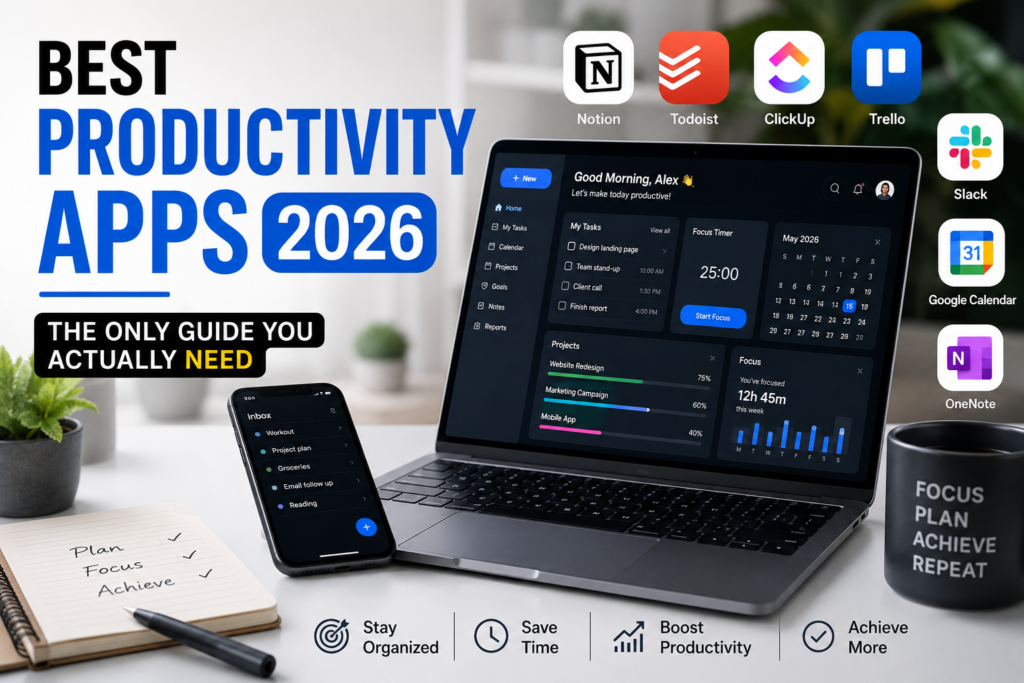
Here is something most productivity articles will never admit. The average person downloads a new app, spends three days organizing it, and then goes right back to sticky notes and a mental to-do list. The app itself was not the problem. The mismatch between what the app was built for and what the person actually needed was the problem.
That is the exact reason this guide exists. In 2026, the market for productivity software has never been more crowded, more capable, or more confusing. Artificial intelligence has moved from being a feature nobody asked for into being the actual engine behind how these tools work. Calendar apps now build your schedule for you. Task managers now break down your projects automatically. Note-taking apps now surface connections between your ideas that you would have missed on your own.
The question is no longer “which app has the most features?” The question is “which app solves the specific problem getting in the way of my work?” Once you know the answer to that, picking the right tool becomes a lot less overwhelming.
This guide covers the apps that are genuinely worth your time in 2026. Each one has been researched across real user reviews, expert testing, and SERP analysis. No filler, no fluff, and no vague praise that could apply to literally anything.
Why 2026 Is a Different Year for Productivity Apps
A few years ago, the productivity app conversation centered around design and simplicity. People wanted clean interfaces and fast sync. Those things still matter, but the entire category has shifted in a direction that would have seemed like science fiction even in 2022.
AI scheduling is real now, not in a marketing-slogan kind of way, but in a “my calendar built itself this morning” kind of way. Tools like Motion and Reclaim have moved past novelty and into genuine daily usefulness. At the same time, tools that have been around for years, like Notion and Todoist, have added AI layers that actually change how people work rather than just adding a chatbot to a sidebar.
There is also a cultural shift happening. People are more protective of their focus time. The research showing that the average person checks their phone 96 times per day has finally started to sink in, and the demand for apps that help block distraction rather than create it has grown significantly. Focus apps are no longer considered a niche category.
Understanding these shifts makes it easier to know why the apps on this list earned their spots.
Notion: The All-in-One Workspace That Most People Still Underuse
If you have heard of exactly one productivity app in the last three years, it was probably Notion. With over 100 million users and a position in virtually every “best of” list published since 2023, Notion has become the default recommendation for people who want a single place to manage notes, documents, tasks, and databases.
The reason it keeps showing up on these lists is not hype. It is genuinely flexible in a way that most software is not. You can keep it dead simple, a collection of pages and checklists that works like a digital notebook, or you can build structured systems for project management, client tracking, content calendars, and documentation that rival what dedicated software would give you.
What makes Notion the right choice for a lot of people in 2026 is how well it handles the knowledge work layer of productivity. If your biggest challenge is not knowing where your information lives, not being able to find old notes, or having project context scattered across five different places, Notion solves that. Everything connects. You can build a database of your clients that links to their projects, which link to your notes, which link to your tasks, all inside one workspace.
Notion AI has gotten meaningfully better as well. It can summarize pages, draft documents, generate action items from meeting notes, and answer questions about content in your workspace. It is not a replacement for thinking, but it cuts down on the time spent on busywork that used to eat into real work.
Where Notion falls short is in task management depth. If you want priority levels, due date sorting, natural language task entry, or the kind of detailed control that dedicated task apps offer, Notion tasks feel lightweight by comparison. That is why most power users end up pairing Notion with a separate task manager rather than relying on it for everything.
The free plan is generous for personal use. Paid plans start at around eight dollars per month, and for what you get, that price point is hard to argue against.
Notion is the right choice if you do a lot of writing, documentation, or knowledge-heavy work and want all of it to live in one organized place.
Todoist: The Task Manager That Gets Out of Your Way
There is a version of productivity software that tries to do everything and ends up doing nothing particularly well. Todoist is not that. It is a task manager, it has been a task manager since 2007, and it is very, very good at being a task manager.
What separates Todoist from the dozens of other to-do apps that exist in 2026 is a combination of speed and reliability that few other tools can match. Adding a task takes seconds. Natural language input means you can type “meeting with Sarah next Tuesday at 3pm” and Todoist will parse the date, time, and context automatically. That kind of friction-free capture matters more than most people realize, because the moment capturing a task takes effort, tasks stop getting captured.
The organizational system is also thoughtful without being complicated. Projects, sections, labels, priorities, and filters give you plenty of structure if you want it, but none of it is forced on you. Someone who wants a simple list can keep it simple. Someone who wants a layered system with recurring tasks, subtasks, and custom filters can have that too.
Todoist’s AI features in 2026 include automatic task breakdown, where you can describe a goal and the app will generate a list of smaller tasks to accomplish it, and smart scheduling suggestions based on your habits. These features do not define the app, but they add real value when you need them.
For most people, the free plan covers the basics well. The paid plan at four dollars per month unlocks reminders, more projects, and access to the AI features, making it one of the better value propositions in the entire productivity app space.
The honest summary is this: if you need a task manager, Todoist is the benchmark. It does not try to be your calendar, your note-taking app, or your project management suite. It just helps you remember and complete your tasks, and it does that better than almost anything else available.
Obsidian: For People Who Think in Notes
Obsidian is not for everyone, and the people who love it would probably agree with that statement. It is a note-taking app built around the idea that your notes should be connected to each other the way ideas in your brain are connected to each other. That sounds abstract until you actually use it, and then it becomes one of those tools you cannot imagine working without.
The core mechanic is simple. Every note is a plain text file stored locally on your device, written in Markdown. You can link any note to any other note, and Obsidian builds a visual graph showing how all your notes connect. Over time, that graph starts to look like a map of how you think about the things you care about.
This approach is called a “personal knowledge base” or a “second brain,” and in 2026, Obsidian is the gold standard for that category. Writers, researchers, developers, and knowledge workers who deal with complex information across long time horizons have built workflows around it that are genuinely impressive.
The local-first model is also a feature that more people are paying attention to in 2026. Your notes are files on your hard drive. Obsidian does not own your data. There is no subscription required to access what you wrote. If the company disappeared tomorrow, your notes would still be there, readable in any text editor. That kind of data ownership is increasingly rare and increasingly valued.
The plugin ecosystem is enormous. There are hundreds of community-built plugins that add features like daily notes, calendar integration, Pomodoro timers, task management, spaced repetition for studying, and connections to tools like Todoist and Readwise. The app is deeply customizable for people who want to spend time on setup, and it is functional out of the box for people who do not.
The trade-off is that Obsidian is not a collaboration tool. Real-time editing with teammates is not something it does. If you work in a team environment where shared documents and simultaneous editing matter, Notion handles that better. But for personal knowledge management, Obsidian is the most powerful option available.
The core app is free for personal use. Sync across devices costs eight dollars per month if you want to use Obsidian’s sync service rather than a third-party option.
Motion: When AI Actually Manages Your Calendar
Motion is the most technically impressive productivity app in this guide, and also the one that requires the most honest conversation about who it is actually for.
The pitch is compelling on paper. You add your tasks with deadlines and estimated time requirements, and Motion’s AI automatically places them on your calendar in optimal time slots. When meetings get added or moved, your tasks automatically reschedule around them. You wake up each morning with a day that is already planned. That is a real thing Motion does, and it works.
The result of that automation, for the right person, is significant. Users who have pushed through the two to four week setup period consistently report saving three to five hours per week on planning and rescheduling. For a professional billing at a high hourly rate, that math makes Motion’s price easy to justify.
Motion has also evolved well beyond a simple scheduler. In 2026, it positions itself as an AI work management platform. It handles project management, breaking projects into tasks and scheduling them across your calendar automatically. It has a meeting notes feature that records, transcribes, and summarizes meetings, then turns action items into scheduled tasks. It creates smart booking pages for external meetings that protect your focus time by only showing availability you have pre-approved.
The caveats are worth naming. The mobile app experience is frustrating, rated around 2.7 out of 5 on Google Play compared to 4.5 on desktop. The pricing has become less transparent in recent months, and the learning curve is real. This is not an app you install and immediately get value from. It requires consistent effort in the early weeks to set up properly.
Motion is genuinely excellent for solo consultants, freelancers, executives, and anyone whose calendar is complex enough that manual planning takes meaningful time every day. For people with simpler schedules, the overhead is not worth it.
Reclaim AI: The Lighter Way to Protect Your Time
If Motion sounds like more than you need, Reclaim AI solves a related but narrower problem, and it does it at a fraction of the complexity and cost.
Reclaim sits on top of your existing Google Calendar or Microsoft Outlook as an intelligent scheduling layer. You tell it what matters to you, deep work, lunch breaks, exercise, a weekly review, specific habits, and it automatically finds and defends time for those things in your calendar. When meetings pile up and start eating your day, Reclaim pushes back on your behalf.
The numbers from real users are strong. Reclaim has been acquired by Dropbox, serves over 320,000 users across 60,000 companies, and independent reviews consistently cite savings of around seven hours per week for people whose biggest problem is calendar fragmentation from internal meetings.
It is particularly useful for people in corporate environments where calendar invites arrive constantly and focus time disappears before noon. Engineers, product managers, and anyone in a meeting-heavy role who struggles to find time for actual work have found Reclaim to be the tool that finally helps them protect their day.
The important thing to understand is that Reclaim does not replace a task manager. It works best as a layer on top of tools like Todoist. It handles when things happen, not what things need to happen. If you already have a solid task system and the problem is your calendar rather than your tasks, Reclaim addresses that directly.
The free plan is one of the most useful free plans in this category. Paid plans are affordable, making Reclaim accessible to individuals rather than just teams with software budgets.
TickTick: The Budget Pick That Does More Than Expected
TickTick frequently gets overlooked in conversations about productivity apps because it sits in the middle of a crowded market without the brand recognition of Todoist or the cult following of Obsidian. That is a mistake, because TickTick might be the most complete single app for personal productivity at its price point.
In one app, you get task management with natural language input, a built-in Pomodoro timer that integrates directly with your tasks rather than being a separate tool, habit tracking with streak statistics and achievement scores, multiple calendar views, and smart lists that surface what you should be working on. That is a genuine stack of functionality from a single subscription.
The Pomodoro integration alone is worth discussing because it is done unusually well. Most apps with a built-in focus timer feel like an afterthought. In TickTick, the timer connects to the task you are working on, tracks your focus sessions, and builds a history of how you are spending your time. For anyone trying to understand where their hours actually go, that combination of task management and time tracking in one place is valuable.
TickTick also handles habit tracking in a way that feels purposeful rather than gamified to the point of being annoying. You set the habits you want to build, check them off daily, see your streaks, and get a clear view of your consistency over time. It is not trying to be a comprehensive wellness app, just a clean system for building better routines alongside your work.
The free plan is genuinely useful. The premium plan is affordable enough that it is not a difficult decision for anyone who takes the app seriously.
If you want to try one app before committing to a more complex setup, TickTick is the most logical starting point.
Forest and Freedom: Because the Biggest Problem Might Be Your Phone
No conversation about productivity apps in 2026 is complete without talking about distraction blocking, because all the task management and scheduling in the world does not help much if you check your phone every ten minutes.
The research here is sobering. The average person loses 23 minutes of focused work after each phone interruption. Not the 30 seconds of the interruption itself, but 23 minutes of recovery time to get back into the mental state that interrupted work required. With the average person checking their phone around 96 times per day, the math on daily productive output is devastating.
Forest is one of the simplest and most effective answers to the phone problem. You plant a virtual tree when you start a focus session. If you leave the app to scroll social media, the tree dies. Over time, you build a forest of completed focus sessions that becomes a visual record of your consistency. It sounds almost too simple to work, but it leverages the specific psychological quirk that makes people feel genuinely reluctant to break a streak, even a visual one.
At less than two dollars as a one-time purchase, Forest is also one of the best value productivity investments available. No subscription, no recurring cost, just a straightforward mechanism that interrupts the impulse to pick up your phone.
Freedom handles the desktop side of distraction. It blocks websites and apps across your devices during scheduled focus sessions, and unlike browser extensions that are easy to disable, Freedom operates at the network level, making it significantly harder to circumvent in a moment of weakness. A yearly subscription runs around thirty dollars, which, compared to a single lost hour of productive work, is easy to justify.
The combination of Forest on your phone and Freedom on your desktop covers both distraction vectors at a combined annual cost of under thirty-five dollars. For a lot of people, those two apps do more for daily output than any task manager or AI scheduler ever will.
How to Actually Build Your Productivity Stack
The mistake most people make is trying to find one app that does everything. That app does not exist, and chasing it wastes more time than it saves. The better approach is to think about what specific part of your work or life is creating the most friction right now, and find the right tool for exactly that problem.
If your biggest issue is that tasks fall through the cracks, start with Todoist or TickTick. If you struggle to organize your notes and knowledge, start with Notion or Obsidian. If your calendar is a disaster and you spend real time each week just figuring out when to do things, try Motion or Reclaim. If distraction is eating your hours, Forest and Freedom should be the first thing you install.
The simplest effective stack for most people in 2026 is a task manager for what you need to do, a calendar tool for when you are going to do it, and a note-taking app for everything you need to remember. You do not need five apps in each category. You need one good one — start with our curated list of the best online tools for productivity and pick a single app for each layer.
A final note worth making: the best productivity app is the one you actually use. An app you open every day, even a simple one, will always outperform a sophisticated system you abandoned after two weeks. Start with the problem, pick the simplest tool that solves it, and build from there.
Recommended Reading
If you want to go deeper on specific app comparisons and team-tested breakdowns, these two resources are worth your time:
The Digital Project Manager publishes one of the most rigorously tested roundups of productivity tools available online, with hands-on evaluation criteria and regular updates as apps evolve: Best Productivity Apps and Tools Tested and Reviewed
Storyflow’s 2026 productivity app guide is organized around the concept of “work shape,” matching apps to the type of thinking and output your specific work actually requires: The 12 Best Productivity Apps in 2026 Ranked and Tested





One Response