


There is a moment most families recognize at some point. You call your parent or grandparent, and the phone rings for too long. You start doing math in your head. When did they last pick up right away? Are they okay? Do they need help?
That worry is incredibly common, and it never fully goes away, but it can get quieter. Smart home technology has come a long way, and in 2026, the right devices can genuinely change what daily life looks like for an older adult living alone or with limited support. Not because technology replaces family, but because it fills the spaces in between.
This article is for families doing the research, and for seniors who want to understand what is out there. We will walk through the most useful smart home devices for elderly people today, how each one works in real life, and what to think about before buying anything.
Why Smart Home Devices Matter for Older Adults
Most older adults want to stay in their own homes as they age. It is a deeply personal preference rooted in comfort, familiarity, and independence. The desire to age in place is not just common, it is nearly universal among people over 60.
The challenge is that aging brings real physical and cognitive changes. Reaction time slows. Balance becomes less reliable. Medications pile up. The list of daily tasks that used to be automatic now requires more thought and more energy. And for families who live far away, the uncertainty can feel constant.
Smart home devices do not solve all of these problems, but they address several of the most serious ones. A fall detector can call for help before anyone even realizes something went wrong. A smart pill dispenser can make sure the right medication gets taken at the right time. A video doorbell lets a senior see who is at the door without walking across the house or opening it to a stranger.
These are not gimmicks. They are tools that give older adults more control over their own lives while giving their families real peace of mind.
One number worth knowing: about one in four seniors experiences a fall each year, and an elderly person dies every 19 minutes from fall-related injuries in the United States. Preventing those falls, or responding to them faster when they happen, is one of the most meaningful things technology can do right now.
What to Think About Before Buying
Before looking at any specific product, it helps to ask a few honest questions about the person who will actually be using these devices.
How comfortable are they with technology? Someone who has never used a smartphone will have a harder time with a system that requires an app to function. The best devices for seniors are the ones that barely feel like technology at all.
Do they live alone? People living alone face different risks than those with a caregiver or family member nearby. Solo seniors benefit more from automatic alerts and emergency response systems than from devices that simply require someone to press a button.
What are the specific concerns? A senior with early memory loss has different needs than one who is physically frail but mentally sharp. Identifying the actual problem makes it much easier to choose the right solution.
What is the budget? Some devices involve one-time purchases. Others come with monthly fees for monitoring services. Knowing the full cost before committing avoids surprises later.
And finally, is there someone to help with setup? Most smart home devices are reasonably simple once they are running, but the initial setup can be confusing. Having a family member, neighbor, or tech-savvy friend available to help get things started makes the whole process less stressful.
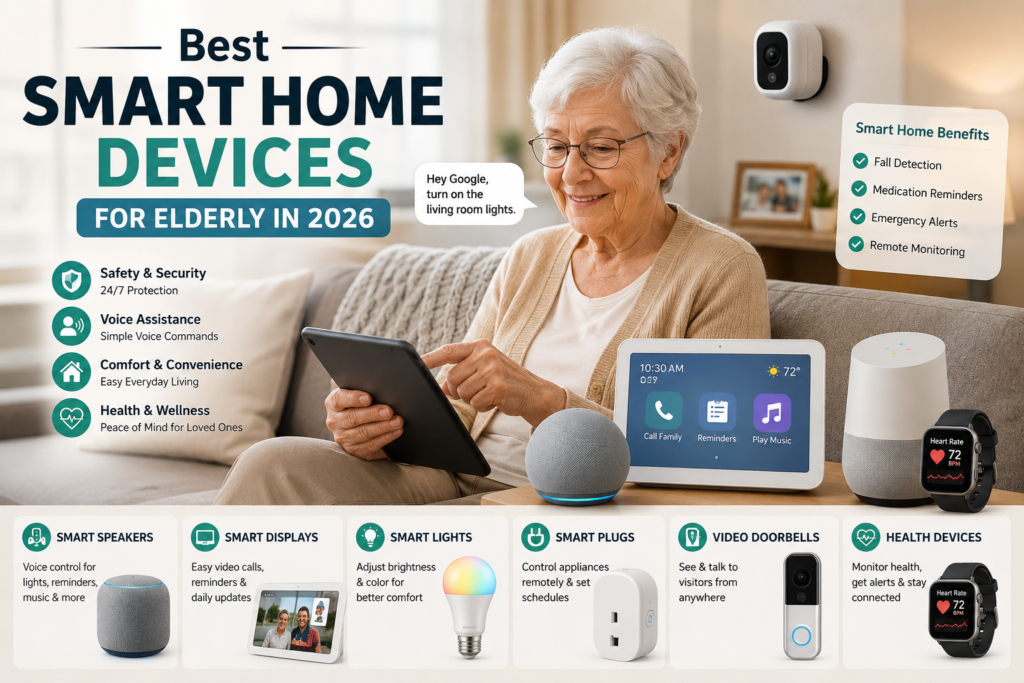
Voice Assistants and Smart Displays
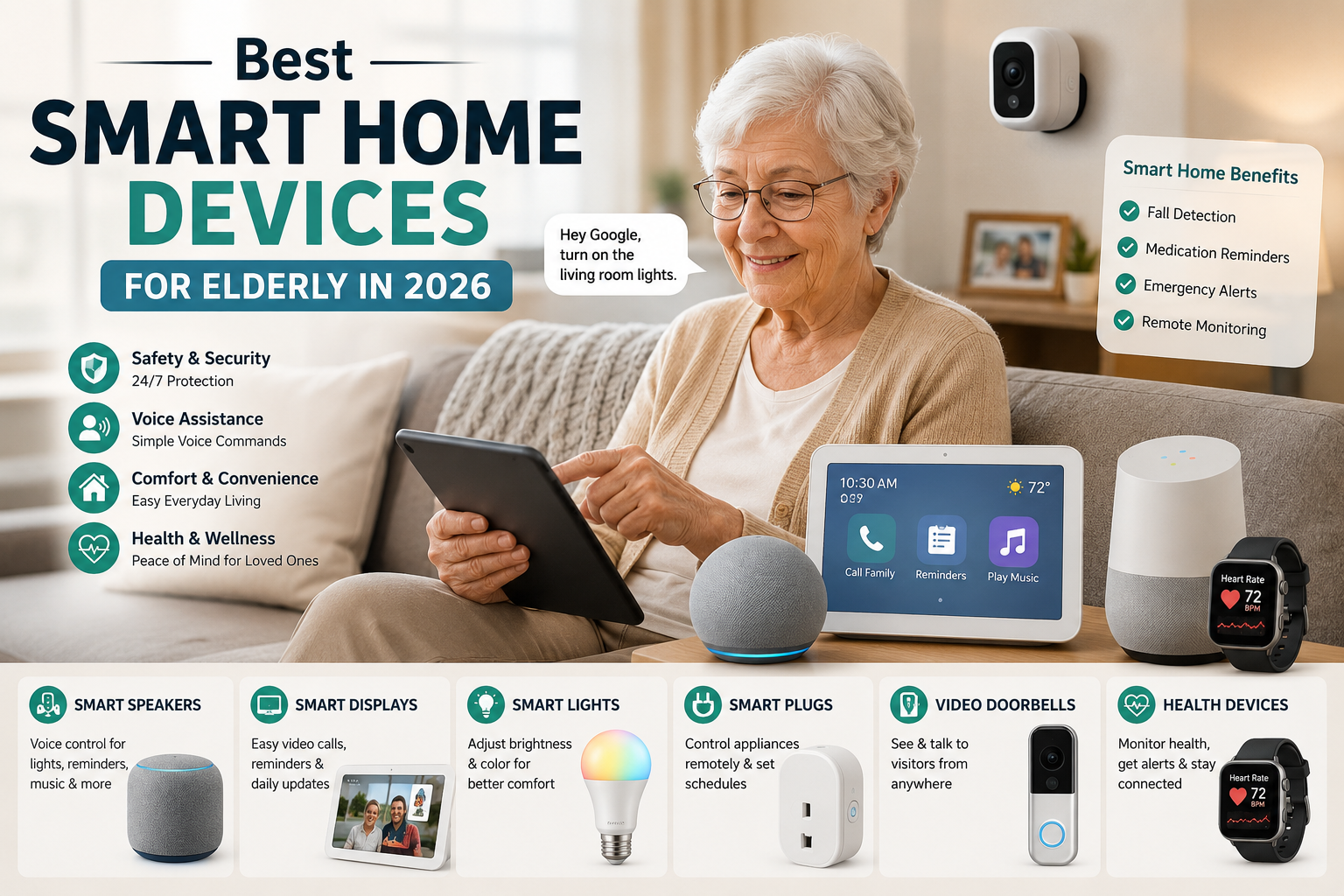
If there is one device that belongs in almost every senior home, it is a voice assistant, and ideally one paired with a screen.
Amazon Echo devices and Google Nest speakers allow older adults to do an enormous range of things without touching anything. They can ask what the weather is before getting dressed in the morning. They can set a reminder to take medication. They can call family members without dialing a phone. They can turn lights on and off, adjust the thermostat, or ask a health question, all with a simple spoken sentence.
For someone with arthritis, limited vision, or mobility challenges, the ability to control the home by voice is not a small convenience. It is a genuine shift in independence.
The Amazon Echo Show 8 is worth mentioning specifically. It has a large 8.7-inch touchscreen that responds to both voice commands and touch. It has an auto-framing camera that keeps the person centered during video calls without any manual adjustment. It functions as a smart home hub, a video phone, a photo frame, a reminder system, and a calendar display all in one device that sits on a counter and requires almost no ongoing interaction to maintain.
For seniors who are uncomfortable with smartphones, a smart display like the Echo Show provides a fixed, always-available interface. It does not get lost. It does not need to be charged. It does not require an app update before it works. You talk to it, and it responds.
Google offers a similar device in the Nest Hub, which has a smaller screen but includes a built-in sleep tracking feature using radar technology, which can be useful for families concerned about nighttime safety.
The key principle is to pick one ecosystem and stick with it. Either Amazon Alexa or Google Assistant, not both. Mixing the two creates unnecessary confusion. Once a senior learns how to speak to one system, that knowledge transfers across every device in that family, and things stay simple.
Medical Alert Systems and Fall Detection
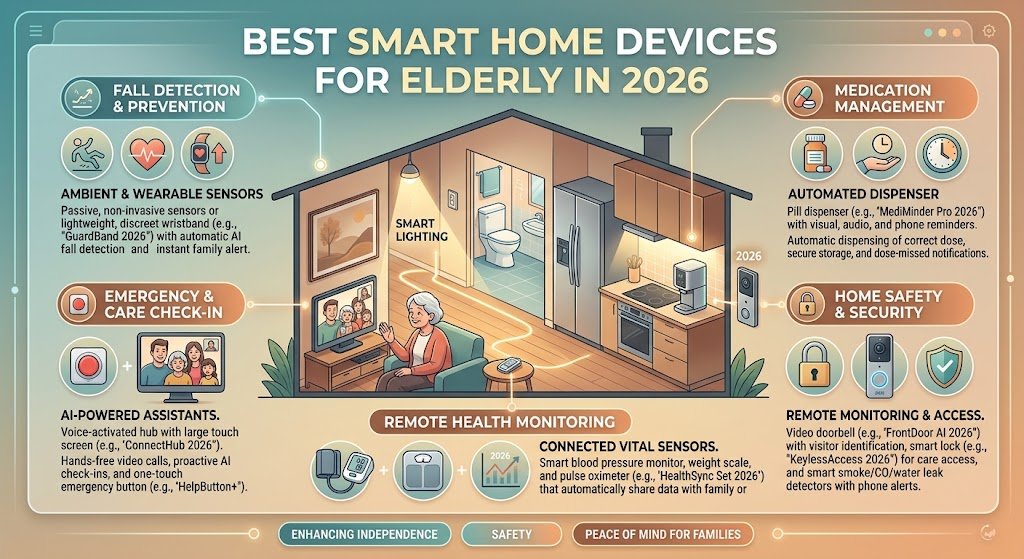
Falls are the single most serious physical risk for elderly adults at home, and the technology built around detecting and responding to them has improved significantly over the past few years.
Traditional medical alert systems work through a wearable pendant or wristband with a button. When something goes wrong, the person presses the button and gets connected to a 24/7 monitoring center. This still works well, and for many seniors it is the right choice. Monthly costs typically range from about $25 to $80 depending on the level of monitoring included.
The limitation is obvious: pressing a button requires being conscious and physically able to press it. A serious fall often does not allow for that.
Newer systems address this. Fall detection now works automatically in many devices. The Apple Watch, for example, uses accelerometers and gyroscopes to detect the motion pattern of a fall. If the watch detects a hard fall and the wearer is not moving afterward, it automatically begins a countdown and then contacts emergency services if no response is received.
Beyond wearables, wall-mounted radar sensors from companies like Vayyar can detect falls inside a room without any camera and without requiring the senior to wear anything. These devices analyze movement patterns using radar and send alerts if someone goes down. They are completely private because they do not capture images or video, which matters to many older adults.
For a senior who forgets to wear a pendant or refuses to put on a wristband each morning, a room-based system removes that friction entirely. The protection is always on because it does not depend on the person doing anything.
Smart Pill Dispensers and Medication Management
Medication mistakes are one of the most common and preventable causes of serious health problems among older adults. Managing multiple prescriptions, each with its own dosage schedule and timing, is genuinely difficult even for people without memory concerns.
Smart pill dispensers take the complexity out of the equation. Devices like Hero and MedMinder lock individual doses until the correct time, then alert the user when it is time to take medication. If a dose is missed, the system sends a notification to a family member or caregiver so someone can follow up.
Some systems go further. They track compliance over time, flag patterns of missed doses, and send pharmacy reminders when a prescription is running low. For families managing care from a distance, this kind of real-time visibility into medication adherence is enormously reassuring.
Voice assistants can also be integrated into medication routines. A family member can record a personal voice reminder in their own voice, saying something like “it’s time to take your two red pills and your blood pressure tablet,” which plays at the scheduled time. For seniors with early cognitive changes, hearing a familiar voice rather than an automated tone can meaningfully improve follow-through.
Smart Lighting
Poor lighting is one of the most underestimated contributors to falls in the home. Most fall accidents happen at night, when a senior gets up to use the bathroom and navigates through a dark hallway or bedroom without fully waking up.
Motion-activated smart lights solve this without requiring any action from the person. When they get up, the lights come on automatically. When they return to bed, the lights go off on their own. No switches. No fumbling in the dark. No risk of tripping over furniture while trying to find a light.
More advanced smart lighting systems can adjust brightness based on the time of day. Lights are bright in the morning, softer in the evening, and dimly lit at night so they illuminate a path without disrupting sleep. This kind of gentle, automatic adjustment is the kind of improvement that older adults often notice within a few days and wonder how they ever managed without.
Smart bulbs like those from Philips Hue or LIFX work with Alexa and Google Assistant, so a senior can also say “turn on the kitchen light” or “dim the bedroom lights” without walking across the room. For someone with mobility issues, that combination of voice control and motion sensing creates a much safer home almost immediately.
Video Doorbells and Smart Locks
Doorstep safety matters more for elderly adults than most people realize. Scams targeting seniors at the front door remain widespread, and answering a door when someone unexpected knocks can be physically difficult or risky for someone with balance problems or who moves slowly.
A video doorbell like the Ring Video Doorbell or Google Nest Doorbell lets a senior see exactly who is at the door on a phone or tablet screen and speak to the visitor through two-way audio, without getting up or opening the door at all. If the person at the door is a stranger, the senior can simply not answer. If it is a delivery, they can speak directly to the driver.
Many of these devices also include package detection and suspicious activity alerts, which are sent directly to family members who can then check in by phone if something looks unusual.
Smart locks work alongside video doorbells to add another layer of control. Traditional keys get lost. They can end up in the wrong hands. Smart locks replace physical keys with PIN codes, smartphone access, or even fingerprint entry. A caregiver or family member can be given their own unique code to enter the home, and that code can be changed or deactivated remotely if needed.
For families concerned about a senior forgetting to lock the door, smart locks can be set to automatically lock after a certain period of time. A quick check on a phone app tells family members whether the door is locked, without needing to call and ask.
Smart Thermostats
Temperature regulation becomes more important and more difficult as the body ages. Seniors are more vulnerable to both heat-related illness and hypothermia than younger adults, partly because the body’s natural ability to detect and respond to temperature changes becomes less reliable over time.
A smart thermostat like the Google Nest Thermostat or Ecobee learns a household’s patterns and adjusts the heating and cooling automatically. Family members can monitor and change the temperature remotely from a phone, which means that during an extreme weather event, a son or daughter in another city can ensure their parent’s home stays within a safe range without needing to make a phone call.
For seniors who tend to forget to adjust the thermostat, or who manually set it too high or too low, a smart thermostat removes that responsibility while keeping the home consistently comfortable.
Smart Smoke and Carbon Monoxide Detectors
Standard smoke detectors have one significant weakness: they only alert the people who are inside the home. If a fire starts while a senior is in the shower or asleep in a back bedroom, there is no guarantee they will hear the alarm in time.
Smart detectors like the Nest Protect change that. When the alarm goes off, it also sends an immediate notification to family members’ phones. It speaks a voice alert that describes what the problem is and where it is located in the house. It tests itself regularly so the batteries are always fresh. And it integrates with smart home systems so that lights can automatically turn on during an alert, helping someone find their way out.
Carbon monoxide is a particular risk for older adults because it is invisible and odorless, and the symptoms of exposure, including dizziness and confusion, can be mistaken for other health problems. Having a detector that alerts both the person in the home and family members remotely is one of the simplest and most important safety additions possible.
Smart Cameras for Remote Monitoring
For families who live far away from an elderly parent, being able to check in remotely can provide enormous relief. Indoor smart cameras allow family members to see that everything looks normal without needing to call, and without the senior feeling constantly watched.
The important conversation to have before placing any cameras inside a home is consent and placement. Cameras in living areas or common spaces are generally accepted by most seniors when they understand how they work and who can see them. Cameras in bedrooms or bathrooms are almost always inappropriate and should not be considered.
When placed thoughtfully, cameras like the Arlo or Google Nest Cam give family members visibility into whether a parent has gotten up, whether they are moving around normally, and whether anything looks out of the ordinary. If motion is not detected during a period when it normally would be, an alert can be sent automatically.
Some seniors find comfort in knowing that family can see they are okay, even without a phone call. Others strongly prefer their privacy and would rather use a system that monitors without cameras. Both preferences are valid, and the right approach depends entirely on the individual.
Tips for Setting Up Smart Home Devices for an Elderly Loved One
Getting the technology is only half the job. The other half is making sure the person who lives with it actually feels comfortable using it.
Start with one device, not ten. Introducing too much too quickly is the fastest way to create resistance and confusion. Pick the device that addresses the most urgent need, whether that is fall detection, medication reminders, or lighting, and let the person get used to it before adding anything else.
Set it up in person if possible. Sitting down together, walking through how the device works, and letting the senior ask questions in the moment is far more effective than leaving instructions on paper or explaining things over the phone.
Customize reminders and contacts ahead of time. A voice assistant is most useful when it already has the right phone numbers, medication schedule, and preferences built in. Doing this setup work before handing things over means the senior starts from a position of the device already working for them, not a blank slate they have to figure out.
Check in regularly for the first few weeks. Not to verify whether they are using it correctly, but to ask how it feels and whether anything is confusing or frustrating. Small adjustments early on prevent bigger problems later.
And listen to what they want. The goal is not to implement every safety measure imaginable. It is to find the right balance between support and independence. A senior who feels surveilled and managed will resist the technology. A senior who feels genuinely helped by it will embrace it.
The Bigger Picture
Smart home devices for elderly adults are not about replacing human care. They are about giving older adults the tools to remain in their own homes longer, with more confidence, and with less daily burden on themselves and their families.
The best setup is always the one that fits the actual person. A 72-year-old who is tech-savvy and physically active has different needs than an 85-year-old with early memory loss who lives alone. The devices described in this article are tools, not solutions. Used thoughtfully, and chosen for the right reasons, they can make a real difference.
The worry never disappears entirely. But it can become quieter. And that is worth a lot.



One Response