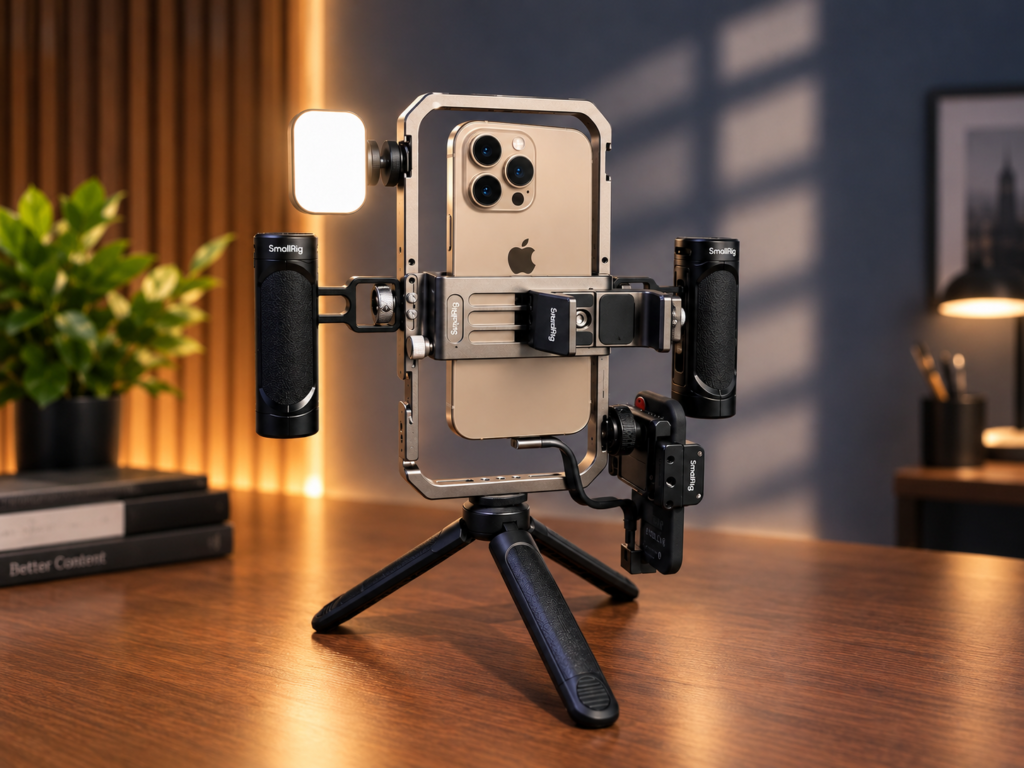
Building a vlog kit for IPhone doesn’t have to mean buying a cinema camera. The iPhone 18 Pro Max is a serious video tool, but out of the box, it’s still a phone. The right camera accessories bridge the gap between “casual clip” and “intentional content. This guide covers the iPhone camera accessories that make a real difference to video quality, stability, and sound, focusing on the equipment to vlog that genuinely improves your footage, not just your gear bag.
You don’t need to buy everything at once. Start with the problem you want to solve shaky footage, unclear audio, limited framing or camera protection and choose accessories accordingly.
This guide is not based on hands- on experience or tested products but the published manufacturer specifications and product information.
Why the iPhone 18 Pro Max Needs the Right Accessories
The iPhone 18 Pro Max introduces a 48MP Fusion Main camera with a mechanical variable aperture (ƒ/1.48 to ƒ/4.0) and 4K Dolby Vision recording at up to 120fps. That’s a lot of capability. But a naked phone still suffers from the same problems it always has: micro-jitters, wind noise, lens flare, and a form factor that isn’t designed to be held for long takes.
The best mobile camera accessories solve specific problems. A protector prevents the kind of scratch that softens every future shot. A rig adds stability and mounting points. A lens opens focal lengths the phone can’t reach natively. If you’re serious about vlogging accessories, you buy with intent.
At a glance: which accessories are worth considering?
| Accessory | Best for | What it adds |
| Moment T-Series 18mm Wide Lens | Wider, more natural-looking framing | An optional field of view between the phone’s main and ultra-wide cameras |
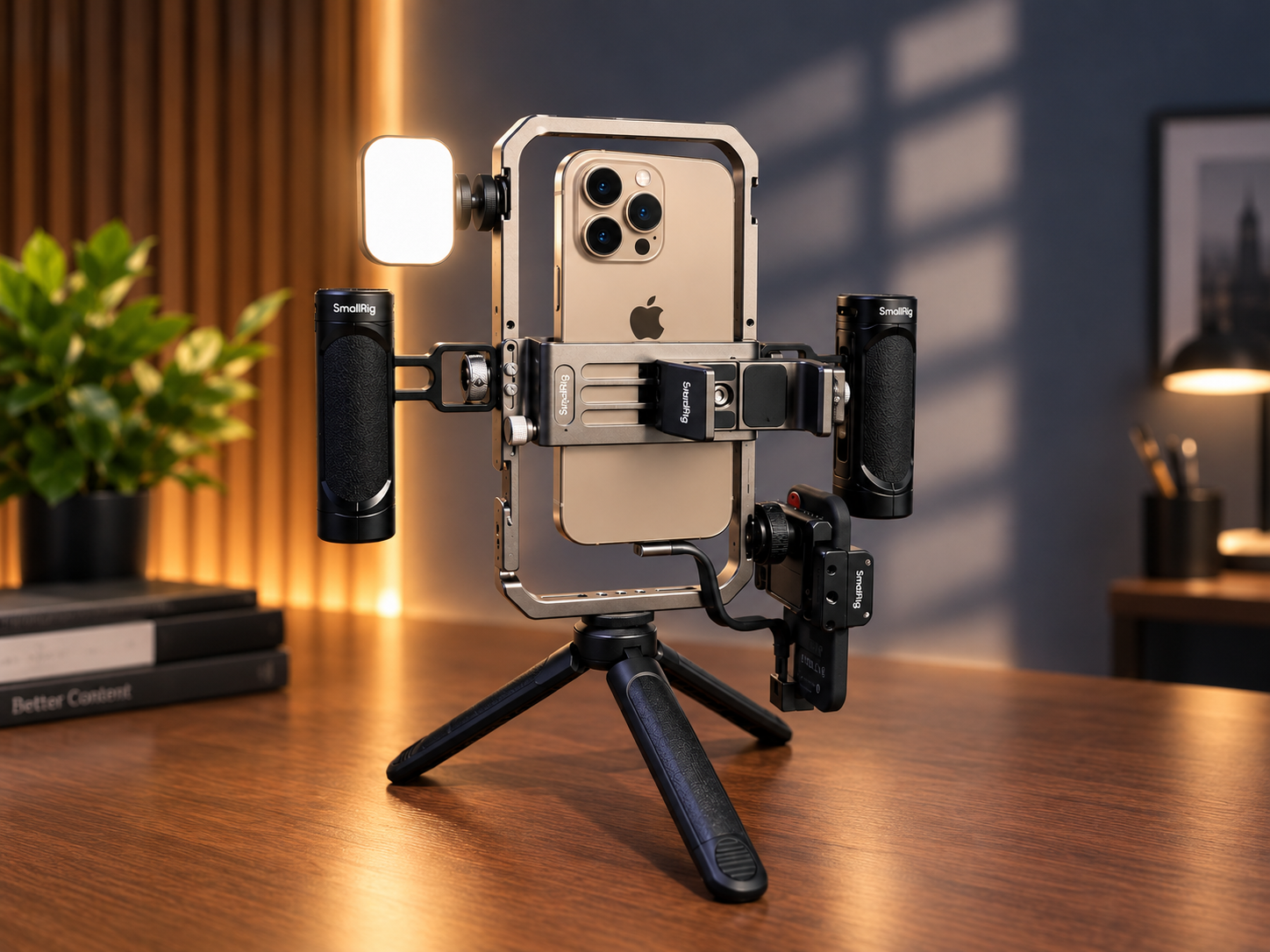
| SmallRig All-in-One Video Kit | Handheld filming and a more expandable setup | Handles, mounting points, tripod and included accessories |
| DJI Osmo Mobile 8 | Walking shots and moving subjects | Motorized stabilization and subject tracking |
| Insta360 Flow 2 Pro | Travel and compact creator setups | Foldable stabilization and tracking features |
| DJI Mic Mini | Vlogs, interviews and talking-head videos | A small wireless microphone system |
| RØDE VideoMic NTG | Directional on-camera audio | A shotgun microphone with USB and 3.5 mm connectivity options |
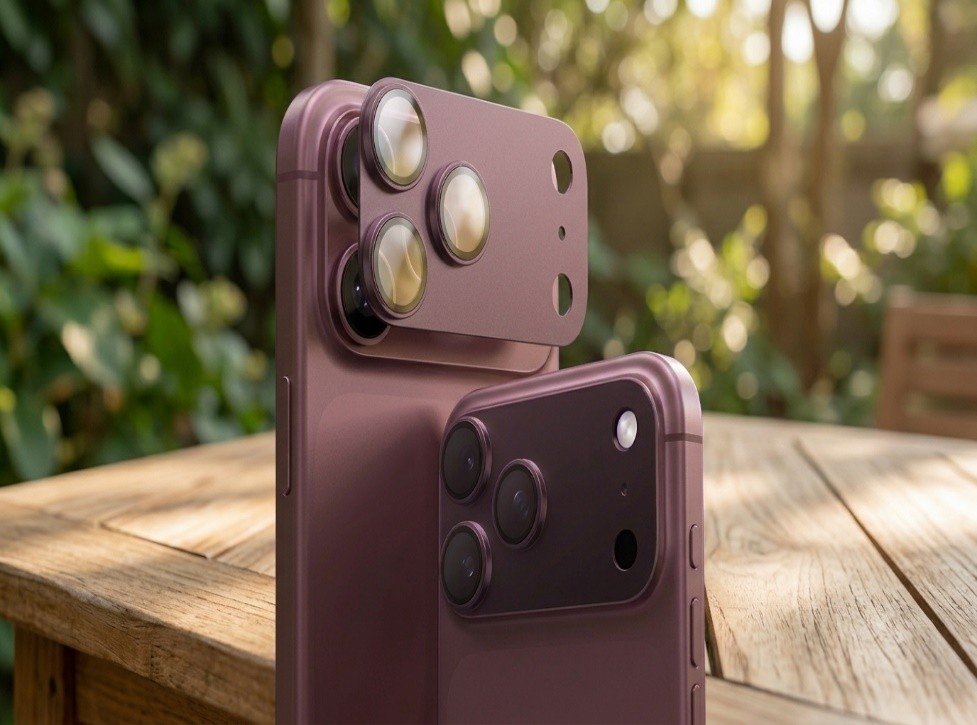
| TORRAS CameraGo protector | Camera-island protection | Full-coverage glass and an anti-reflective coating, according to the manufacturer |
1. Add-on lenses: change the look of your footage
Mobile lenses are the most misunderstood accessory in the vlog kit for iPhone. They aren’t about making the image “better” in a general sense, they’re about making it different.
What to look for: Mounting system matters more than brand. A lens that doesn’t sit perfectly aligned over the 48MP sensor will introduce softness. For the iPhone 18 Pro Max, you need a case with a built-in mount (Moment’s T-Series system is the reference standard here) or a cage with a lens mount.
What about anamorphic and macro lenses?
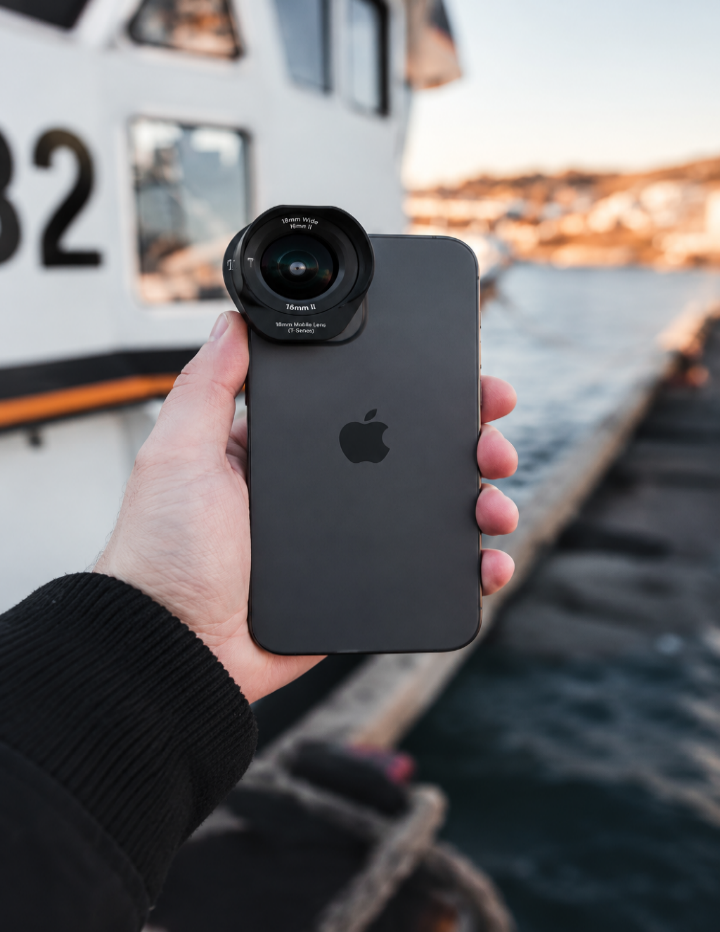
This is the vlogging accessory that changes the feel of footage most dramatically. An anamorphic lens captures a wider cinematic view by compressing the image horizontally. You then use compatible software to stretch it back to the correct proportions.
It requires an app that can shrink the image (Blackmagic Camera is free and standard). Moment’s anamorphic lens is the most consistently recommended option in professional roundups.
Wide-angle: The iPhone’s native 0.5x ultra-wide is convenient but often soft at the edges. A dedicated wide attachment (like Moment’s 18mm) over the main 1x sensor can produce a sharper, more controlled wide image for handheld vlogging.
Macro: Useful for B-roll of products, details, or textures. It’s not essential for every creator, but it expands your shot vocabulary.
A compatibility warning: Moment’s M-Series lenses do not work with newer iPhones, including the 17 and 18 series. You need T-Series lenses and a compatible case. The lenses mount over the 1x main camera only—not the ultra-wide or telephoto
2. Camera protectors: protect the camera island carefully
This is the accessory most people get wrong. A cheap $5 protector can introduce ghosting, flare, and autofocus hunting that you won’t notice until you’re editing.
The real issue: The iPhone 18 Pro Max’s variable aperture relies on precise light transmission. A protector with poor anti-reflective coating can cause internal reflections that show up as green or purple blobs in footage shot toward light sources. This is the “iPhone 18 Pro Max camera protector” problem that reviewers rarely mention.
What actually works: Look for AR (anti-reflective) coating and high light transmittance. TORRAS released a full-coverage CameraGo protector for the iPhone 18 Pro/Pro Max that uses aerospace-grade tempered glass with AR anti-glare technology specifically to reduce flare and ghosting in night and backlit shooting . It claims 99%+ light transmittance and 10H hardness.
For vloggers, the full-coverage design matters. It protects the entire camera island, not just individual lens circles, which means less chance of dust and moisture accumulating around the lenses during outdoor shoots. The trade-off reported in user reviews is that the matte finish can attract fingerprints more visibly than glossy alternatives.
Verdict: If you’re shooting video, don’t buy a protector without AR coating. The TORRAS CameraGo is a verified option for the iPhone 18 Pro Max specifically.
3. Phone Rigs: improve grip and add mounting points
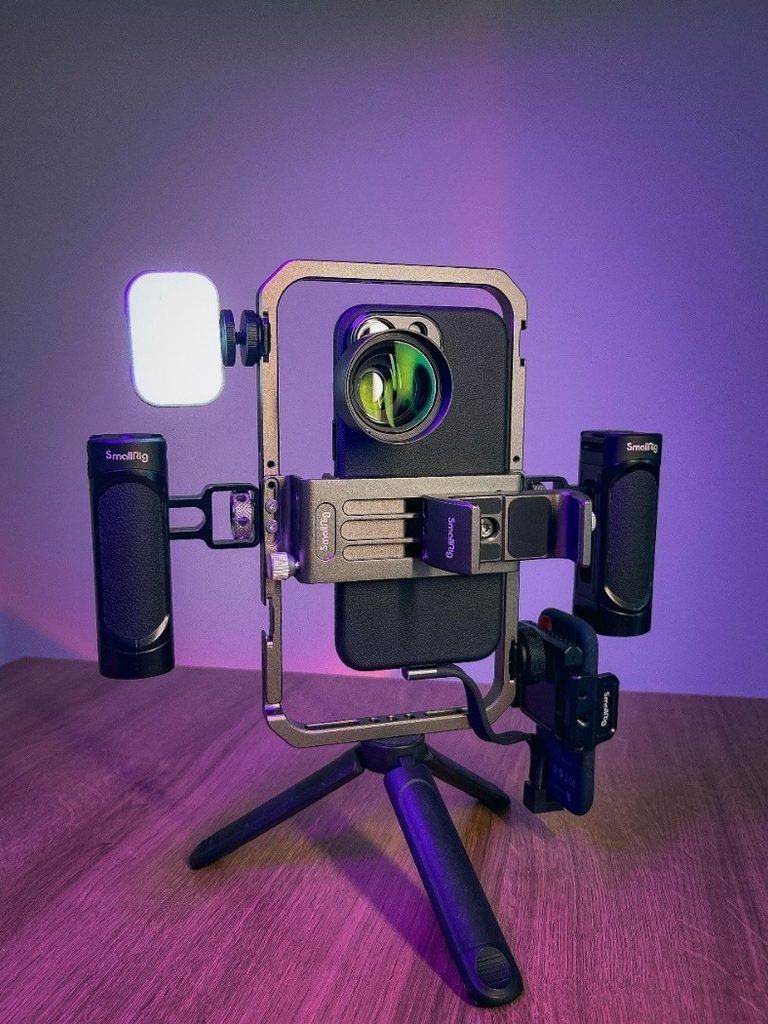
An iPhone camera rig is the chassis that turns your phone into a system. It gives you cold shoes for mics and lights, threads for tripods, and critically a two-handed grip that reduces the roll and yaw you get from pinching a phone by its edges.
SmallRig All-in-One Kit (~$189): This is the most complete entry point for serious iPhone videography. The kit includes two hand grips, a 360-degree tripod, a cardioid microphone, cold shoes, and cable management. Macworld’s review calls it “just about all you need” for serious shooting. For vlogging on an iPhone, the two-hand stance makes walk-and-talk shots noticeably steadier without requiring a gimbal.
SmallRig x Brandon Li kit: A more specialized tool with a wider phone width range (2.24–3.54 inches) and a USB-C shotgun mic, bi-color LED, and power bank clamp. It’s designed for creators who want a talking-head or live-streaming station without buying components separately.
What a rig doesn’t do: It doesn’t stabilize motion like a gimbal. A rig gives you a more secure grip and places to attach accessories. A gimbal uses motors to reduce unwanted camera movement, making it more useful for walking shots. They solve different problems.
4. Gimbals: for smoother moving shots
If your vlogging involves movement, walking, gesturing, following a subject. A gimbal is the equipment used by creators that makes the biggest difference in the stability and quality.
DJI Osmo Mobile 8: The current standard for iPhone gimbals. The key feature for iPhone users is Apple DockKit integration, which means subject tracking works in over 200 iOS apps, not just DJI’s own app. It has 360-degree pan rotation and a magnetic clamp that holds the Pro Max securely. A long-term test with an iPhone Pro Max found the footage looked “intentional” compared to handheld, and the built-in tripod and extendable rod eliminated the need for a separate selfie stick.
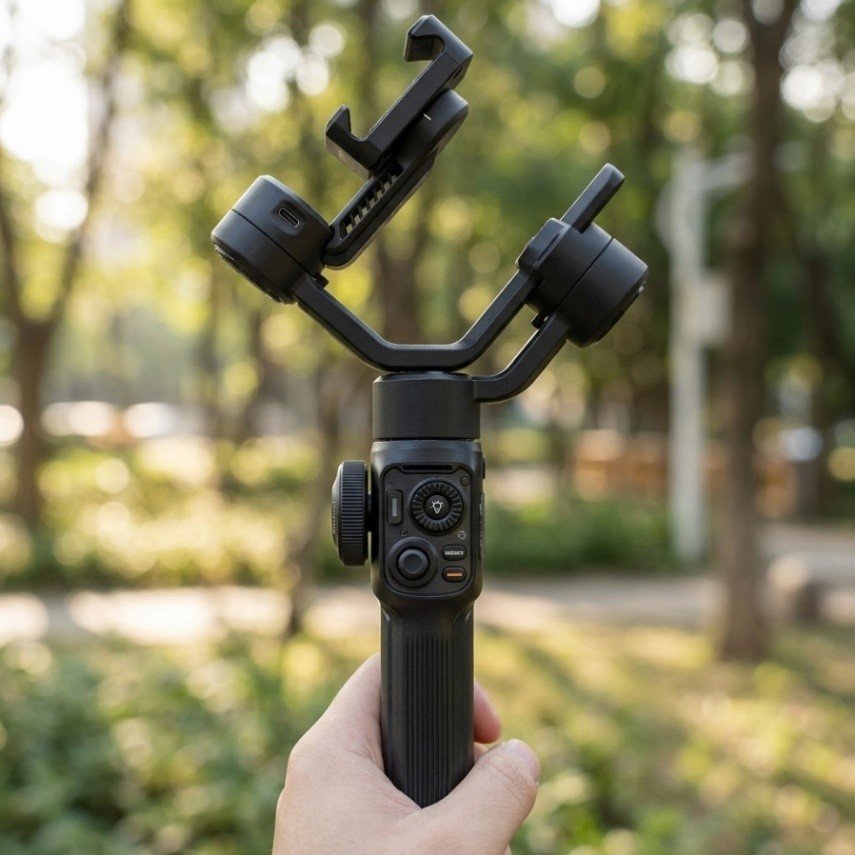
Zhiyun Smooth 5S AI For creators who prioritize physical controls and build quality over portability. It’s significantly larger than the DJI but offers more buttons and a larger side wheel for manual control. The AI module only handles tracking (no fill light function), but two magnetic fill lights can be attached instead.
Real-world note: Gimbals require a learning curve. The DJI relies heavily on its Mimo app for full functionality, and balancing a Pro Max takes practice. If you want zero setup friction, a rig might serve you better for talking-head content.
Limitations: Directional microphones do not eliminate all background noise, and placement matters. Confirm the required cable for your iPhone and whether your setup supports headphone monitoring.
6. How to choose a kit for your budget and shooting style
Instead of buying every accessory, prioritize the missing the parts of your current device to improve the quality and recording.
For the beginners, start with a reliable tripod or a grip to improve your lighting and composition. Skip the lens and gimbal for now. Master composition and light first.
The Creator who films regularly:
A small Rig All-in-One Kit for enhanced stability and mounts. Choose between a wide or anamorphic lens for your needs if the native focal lengths are too short.
Travel vlogger:
For travel vloggers, a compact gimbal can help with the shots involving moments or rotation. A wireless microphone can make walk-and-talk recording easier, while a small tripod is useful for stationary clips. Consider weight, battery charging and how quickly the setup can be packed away.
FAQ:
Do iPhone camera attachments work with a case on?
Only if the case is designed for it. Moment lenses require a Moment case or a cage with a lens mount. MagSafe accessories work with MagSafe-compatible cases, but the magnetic strength varies.
Does an iPhone 18 Pro Max camera protector affect video quality?
A cheap one does. Look for AR (anti-reflective) coating and high light transmittance. TORRAS’s CameraGo is specifically designed to reduce flare and ghosting for the 18 Pro Max. If you notice new green or purple blobs in backlit shots after applying a protector, remove it.
What’s the best lens for vlogging on an iPhone?
For most vloggers, a wide-angle attachment over the 1x sensor is the most practical upgrade. Anamorphic is for creators who want a specific cinematic look and are willing to use a desqueeze app.
Are iPhone 18 and 18 Pro Max accessories interchangeable?
Generally no. Camera protectors and lens mounts are sized specifically for the Pro Max camera island. Cases and rigs may have overlapping compatibility, but verify before buying.
What equipment do you need to vlog on an iPhone?
At minimum: a protector to prevent damage, a way to stabilize the phone (grip, tripod, or gimbal), and a microphone. Everything else is a creative choice.
Final verdict
The most useful iPhone vlogging kit The best iPhone camera accessories for vlogging are the ones that solve a problem you actually have. If your footage is shaky, buy a gimbal or rig. If your audio is unusable outdoors, buy a mic. If your shots all look the same, buy a lens. If you’re worried about scratching the 18 Pro Max’s camera array, buy the TORRAS CameraGo or a similarly spec’d protector with AR coating
Don’t buy a vlog kit for the iPhone just to feel prepared. Buy the piece that fixes the weakest link in your current footage.